Drop in the folder. Every file lands on its request.
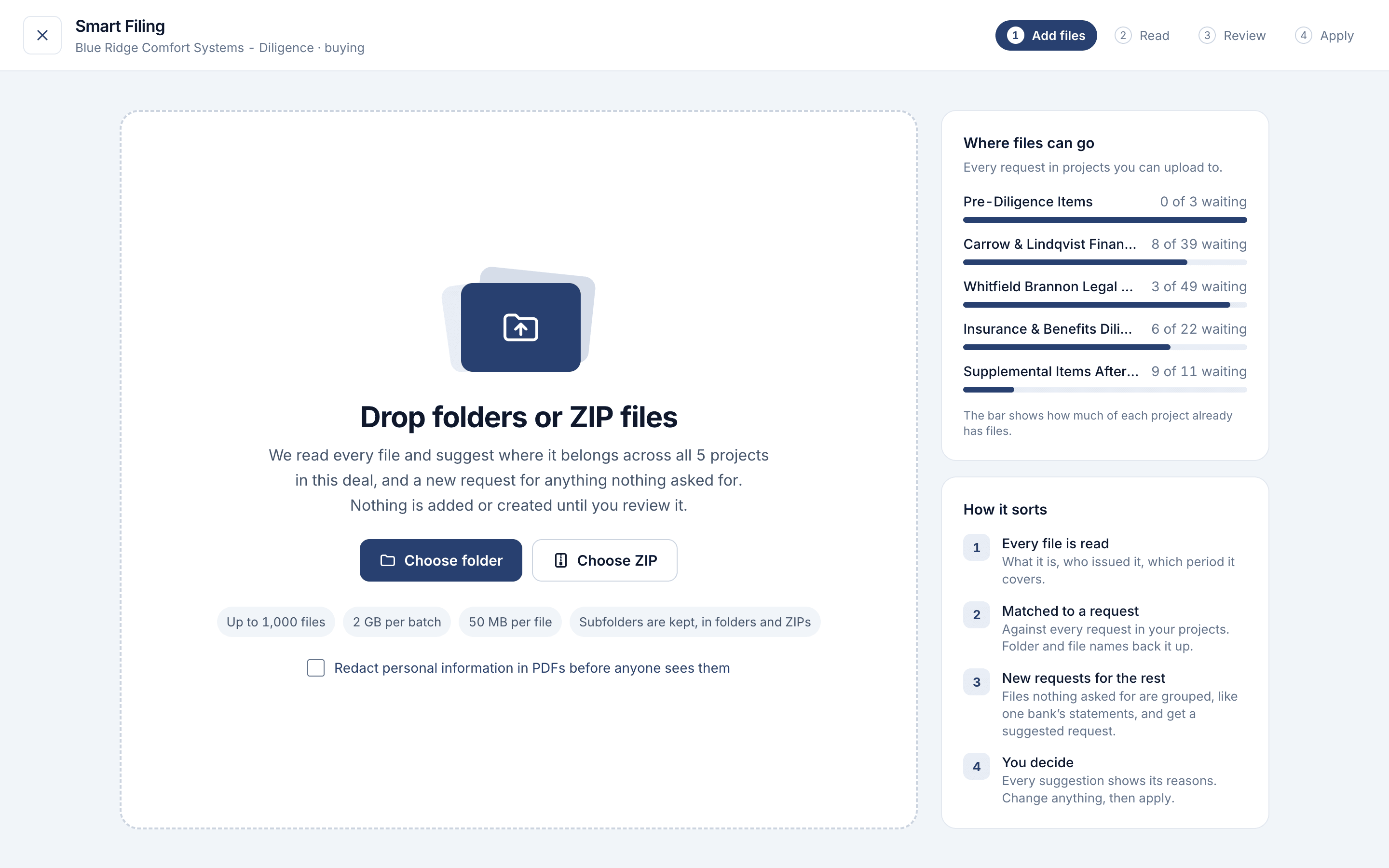
Drop in a folder or ZIP. Smart Filing works out what each file is, matches it to the request that asked for it across the whole deal, and suggests new requests for the rest. You look it over, then add them all in one click.
Up to 1,000 files at a time. Nothing is added until you review it.
Illustrative example
“I put everything in a folder for you.”
Clients don’t send documents one request at a time. Filing what they do send is an afternoon of opening, renaming and dragging.
One folder, forty requests
The client sends everything at once, in a folder called “stuff for the buyer”, and someone has to split it across the request list.
doc00518.pdf
The file names say nothing, so every file gets opened just to find out what it is and which period it covers.
Files nobody asked for
Half the folder answers requests you made. The rest has no home, so it sits in an email or a shared drive and gets lost.
How it sorts
Click Smart Filing on any deal and drop in folders or ZIP files. Subfolders are kept.
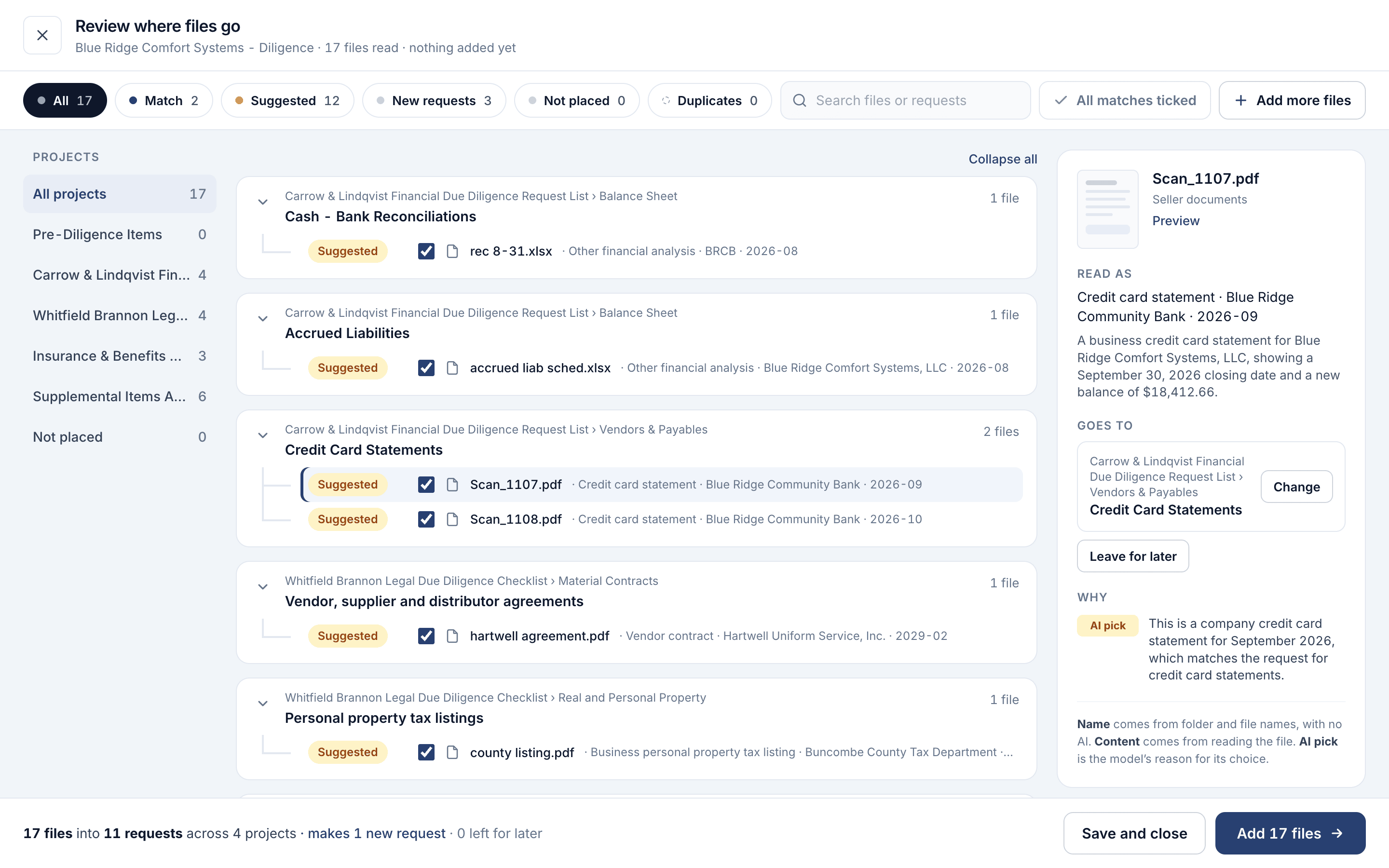
Each file is read
What it is, who issued it and which period it covers, from inside the file, whatever it’s called. Scans and images go by their names.
Matched to a request
Against every request in every project you can upload to. Folder and file names back it up.
New requests for the rest
Files nothing asked for are grouped, like one bank’s statements, and each group gets a suggested request.
You decide
Every suggestion shows its reasons. Change anything, leave files for later, then add them in one click.
See it in the product
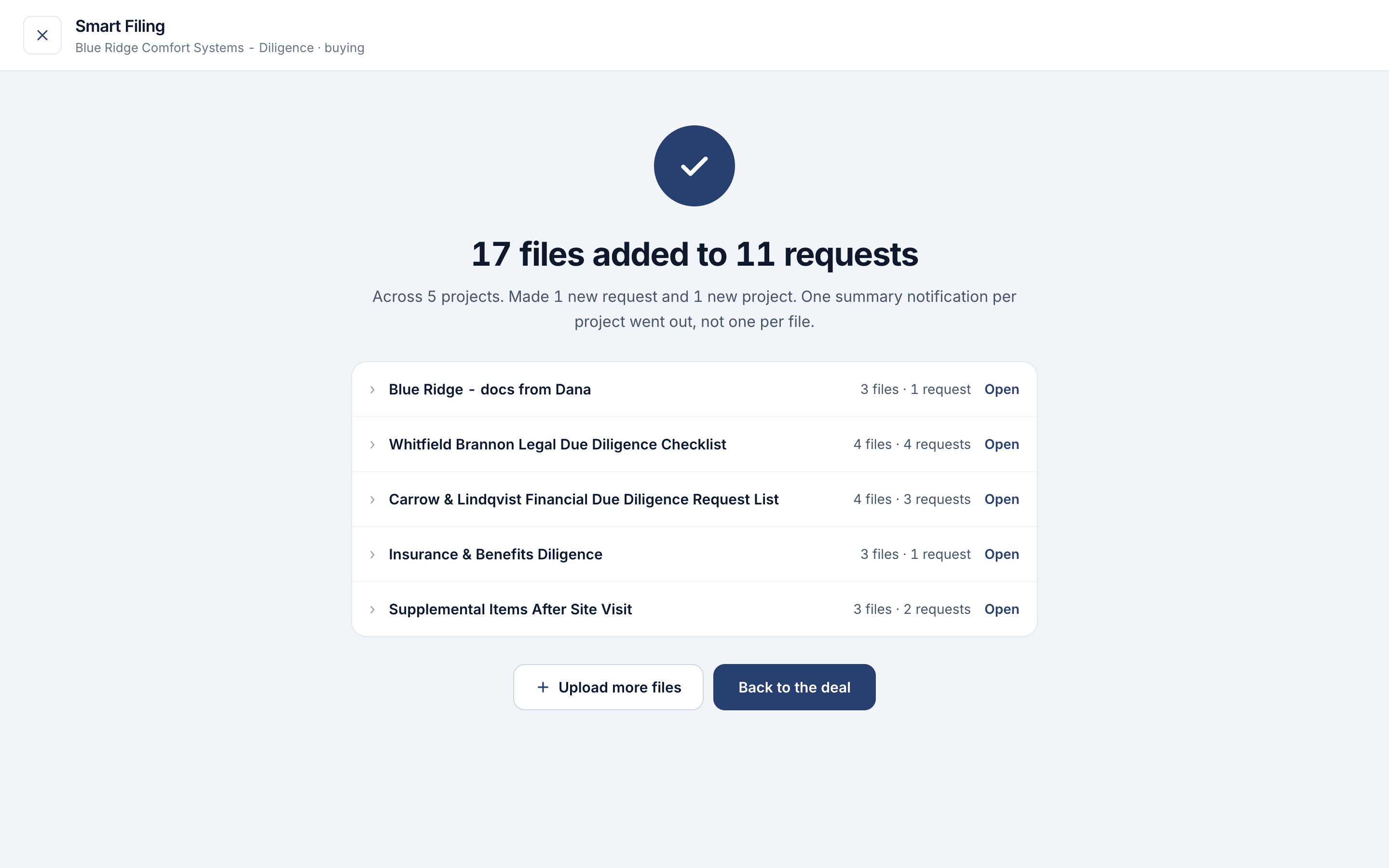
Real screens from a deal mid-diligence: a folder from the seller going in, the review, and where every file went.
It suggests. You decide.
Smart Filing does the opening and the finding. Where each file goes is still your call.
Nothing added until you say so
Files wait in the batch, and no request or project is made, until you review and click Add.
Every pick shows why
Each file is marked Match, Suggested or New request, with the reason: its name, what was read in it, or the AI’s pick.
Close the tab and keep working
Once the upload finishes, reading and adding run on our servers. A banner on the deal tells you when it’s ready.
Leftovers stay yours
Files you leave for later stay in the batch for 30 days, and no one else on the deal sees them until they’re placed.
Questions
Where do I find it?
Open a deal and click Smart Filing at the top of the page. In a project, it’s also under Actions. Drop in folders or ZIP files, or choose them.
How many files can I add?
Up to 1,000 files and 2 GB at a time, up to 50 MB per file. Subfolders are kept, in folders and in ZIPs. On the sample deal you can try it with up to 25 files.
Does anything go into the deal before I review it?
No. Files wait in the batch and suggested requests aren’t made until you click Add. Matches and suggestions start ticked, so one click adds everything you kept.
What happens to files that don’t fit any request?
They’re grouped and each group gets a suggested new request, which you can edit or drop. Or leave them for later, or put them in an Unsorted files request in the project.
Who can use it?
Owners, admins and contributors, on deals run by a Vetting Vault subscriber. Contributors can make new requests only if the deal lets them. AI must be on for the deal.
Does it read scanned PDFs and images?
PDFs, Word, Excel, CSV and text files are read for their contents. Images, slides and scans are placed from their file and folder names, and you can change any of them in review.
Read more about running diligence
Practical guides with calculators and worked examples.
Which QuickBooks Reports Does Due Diligence Need?
The exact QuickBooks reports, periods and settings buyers and lenders ask for, why each one matters, and the export mistakes that send a request back.
Read the guideQuality of Earnings: How Add-Backs Move the Purchase Price
Walk from reported to adjusted EBITDA, see which add-backs survive a quality of earnings review, and what each one is worth at the deal multiple.
Read the guide