What’s in the room, and who’s moving it.
One page for every deal: how far along it is, what’s overdue or stalled, which months of statements are in, and who is doing the work. Counted from the deal itself, with nothing to set up.
On every deal, for the deal’s creator and admins.
“Where are we on this deal?”
It’s the question every deal team asks every week, and answering it usually means an afternoon in the request list.
Scrolling 300 requests
The status call starts with someone working down the list to find what's late, what's stuck and who has it.
Opening statements one by one
Do we have every month of bank statements? Someone opens each file to check the dates, because the file names don't say.
Guessing who's holding it up
Requests sit with someone who hasn't logged in for a week, and nobody notices until the deadline slips.
The whole deal on one page
Open Analysis from the deal’s sidebar. A small deal reads as one short page; a big room gets four tabs.
Overview
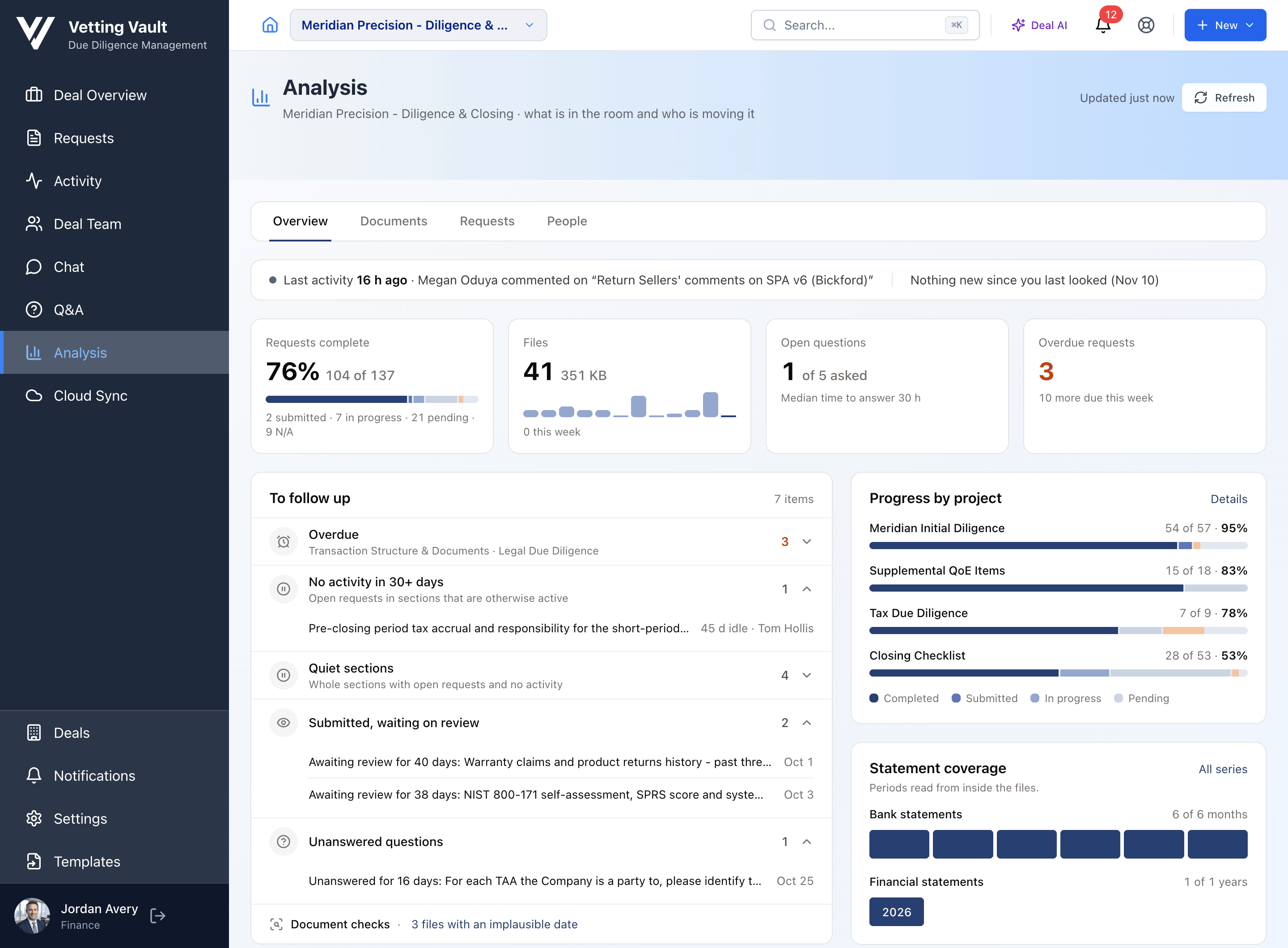
Requests complete, files, open questions and overdue requests up top. Below them, a To follow up list and progress by project.
Documents
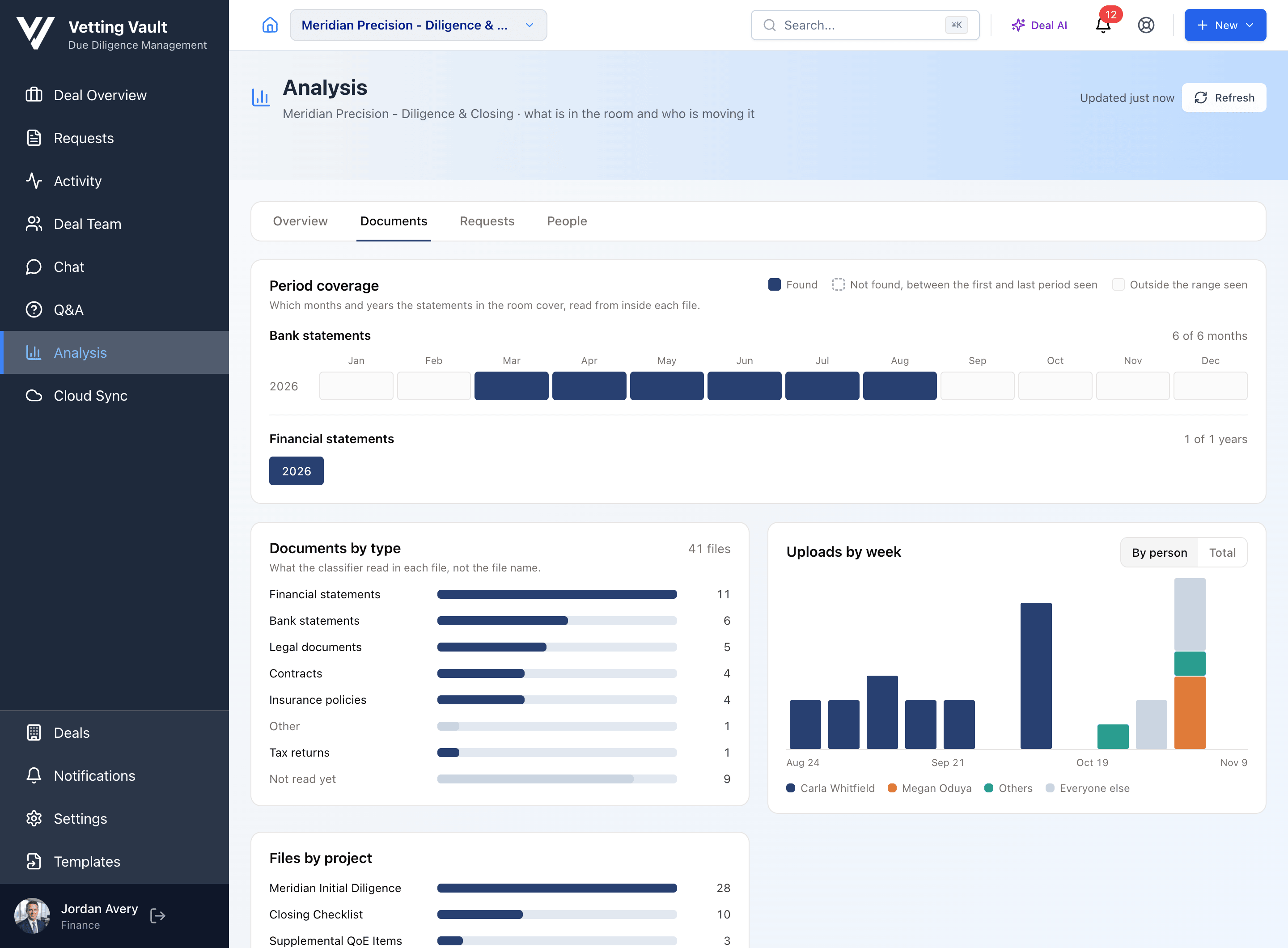
Which months and years of statements are in the room, what kinds of documents you have, and who is uploading, week by week.
Requests
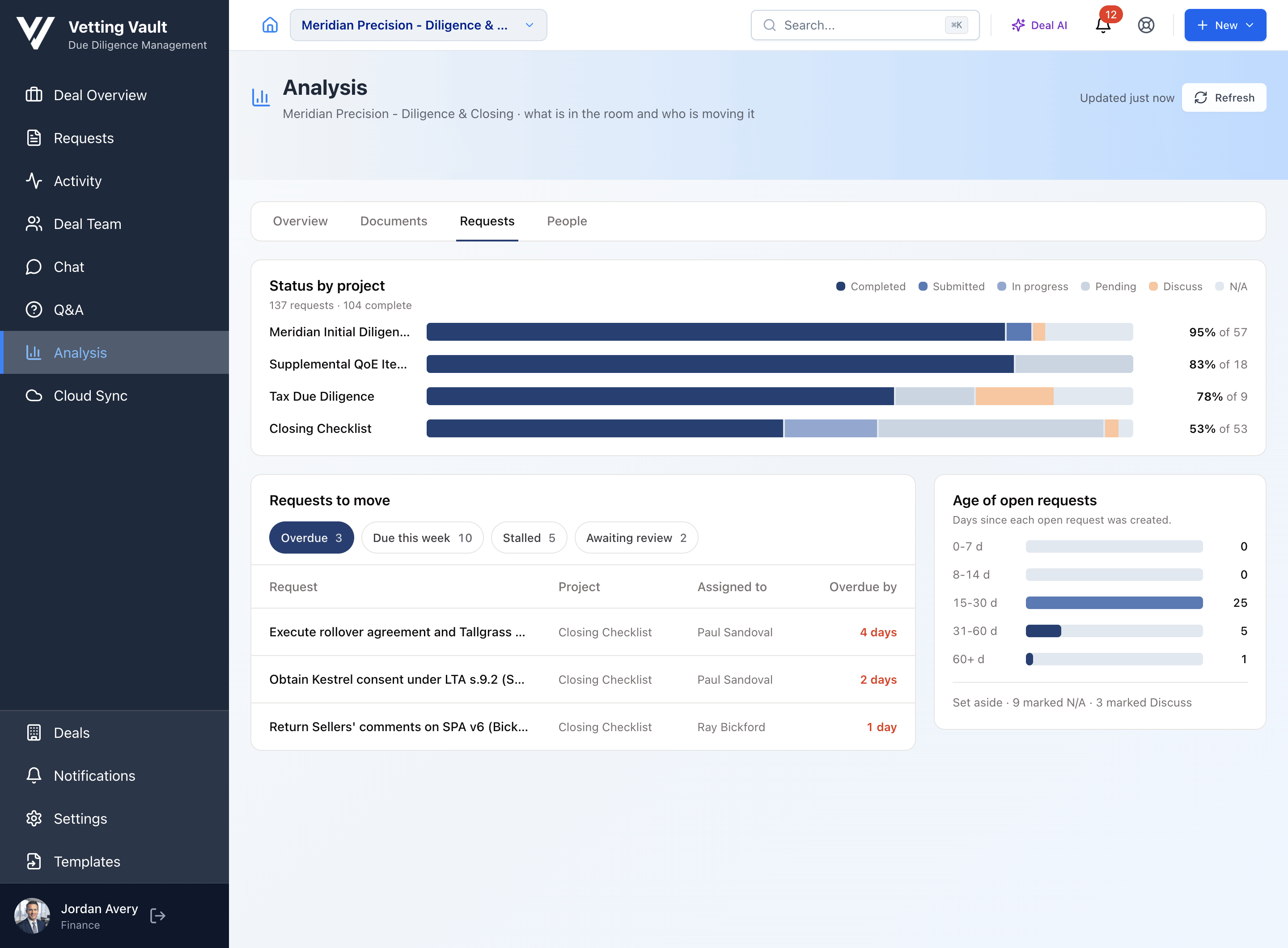
Status by project, the requests to move (overdue, due this week, stalled or awaiting review), and how long open requests have been open.
People
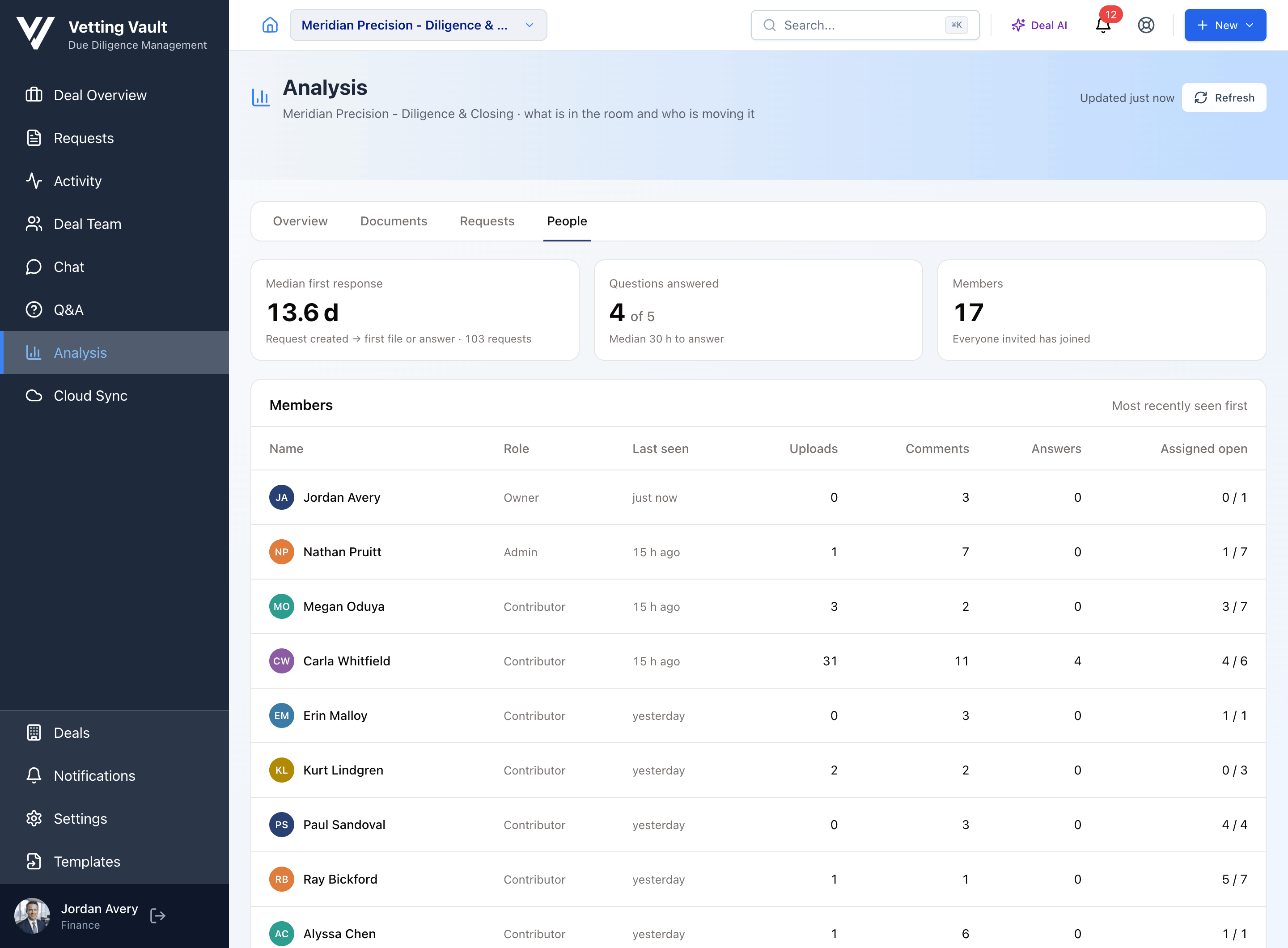
How fast requests get a first answer, how many questions are answered, and each member's uploads, comments, answers and open assignments.
See it in the product
Real screens from a deal near closing: the overview, statement coverage, the requests to move, and who is doing the work.
Every month, without opening a file
Each file is read when it arrives, so Vetting Vault knows a bank statement from a tax return and which period it covers, whatever it’s called. Analysis lays the periods out on a grid: bank statements by month, financial statements and tax returns by year.
A month that wasn’t found between the first and last ones in the room stands out at a glance, and Document checks flag files with an implausible date, possible duplicates, and files that look like they belong on a different request.
Numbers you can take into the status call
Everything on the page is counted from the deal itself, so the numbers match the request list.
Counted, not guessed
Progress, overdue items, response times and activity come straight from the deal's own requests, files, questions and members.
Read from inside the files
Document types and statement periods come from what Vetting Vault read in each file when it arrived, not from file names.
Up to date when you look
The page shows when it was last updated, and Refresh brings it current. Nothing to set up and nothing to maintain.
For whoever runs the deal
Analysis is for the deal's creator and its admins. Contributors, reviewers and guests don't see it.
Questions
Where do I find it?
Open a deal and click Analysis in the sidebar. When something needs attention, a View analysis banner on the deal overview takes you straight there.
Who can see Analysis?
The person who created the deal and the deal's admins. Contributors, reviewers and guests don't see it.
Do I have to set anything up?
No. It works from the requests, files, questions and members already on the deal. A small deal with one project reads as one short page; a bigger one gets Overview, Documents, Requests and People tabs.
How does it know which months the bank statements cover?
When a file is uploaded, Vetting Vault reads it and records what kind of document it is and which period it covers. Analysis lays those periods out on a grid, so you can see which months and years are in the room, and which weren't found between the first and last ones seen.
Is it written by AI?
No. Nothing is generated when you open the page. The numbers are counts from the deal itself; the only AI involved is the reading each file already got when it was uploaded, which is how documents are sorted by type and period.
Is it live?
It shows when it was last updated, and the Refresh button brings it up to date whenever you like.
Read more about running diligence
Practical guides with calculators and worked examples.
Which QuickBooks Reports Does Due Diligence Need?
The exact QuickBooks reports, periods and settings buyers and lenders ask for, why each one matters, and the export mistakes that send a request back.
Read the guideQuality of Earnings: How Add-Backs Move the Purchase Price
Walk from reported to adjusted EBITDA, see which add-backs survive a quality of earnings review, and what each one is worth at the deal multiple.
Read the guide