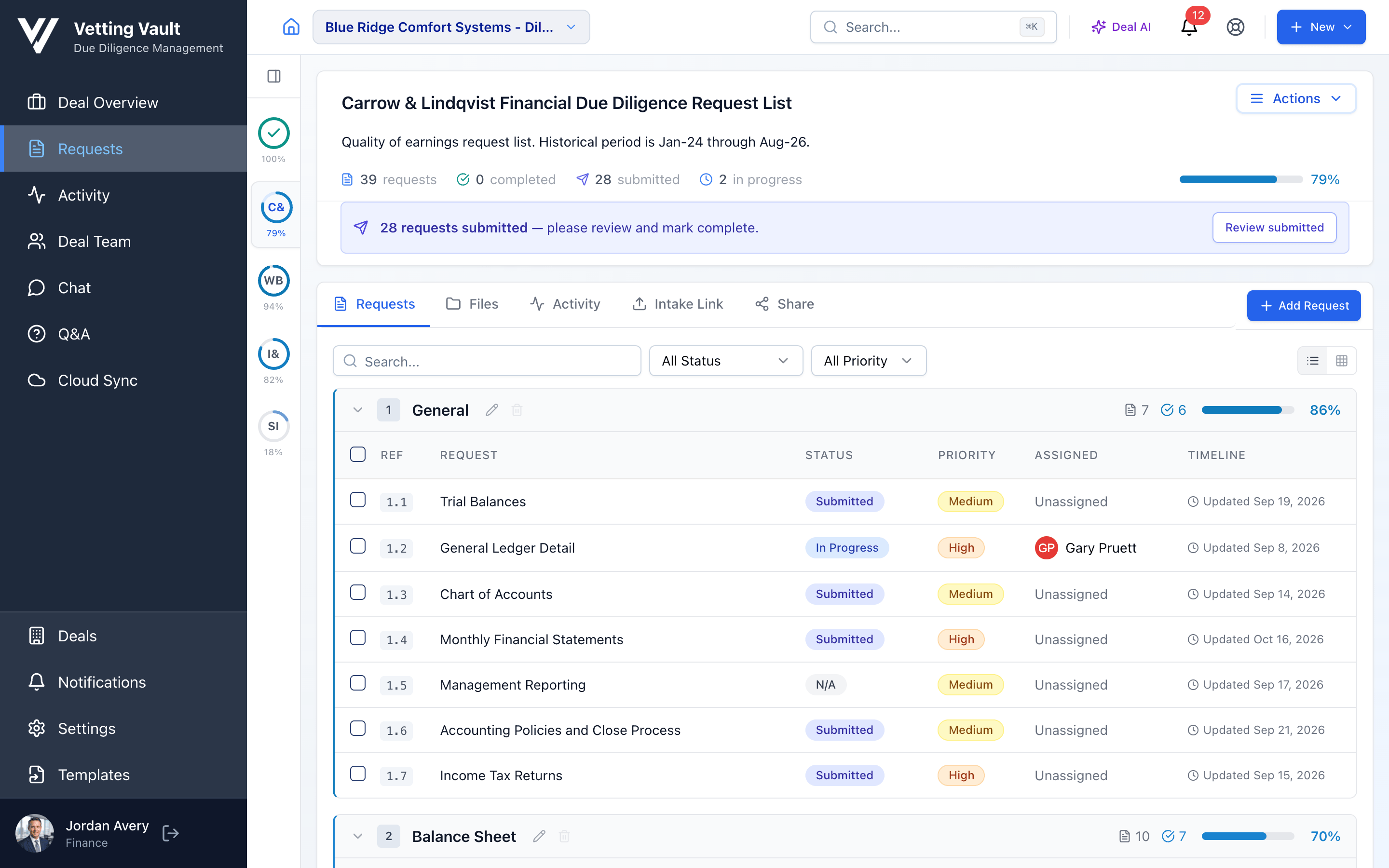
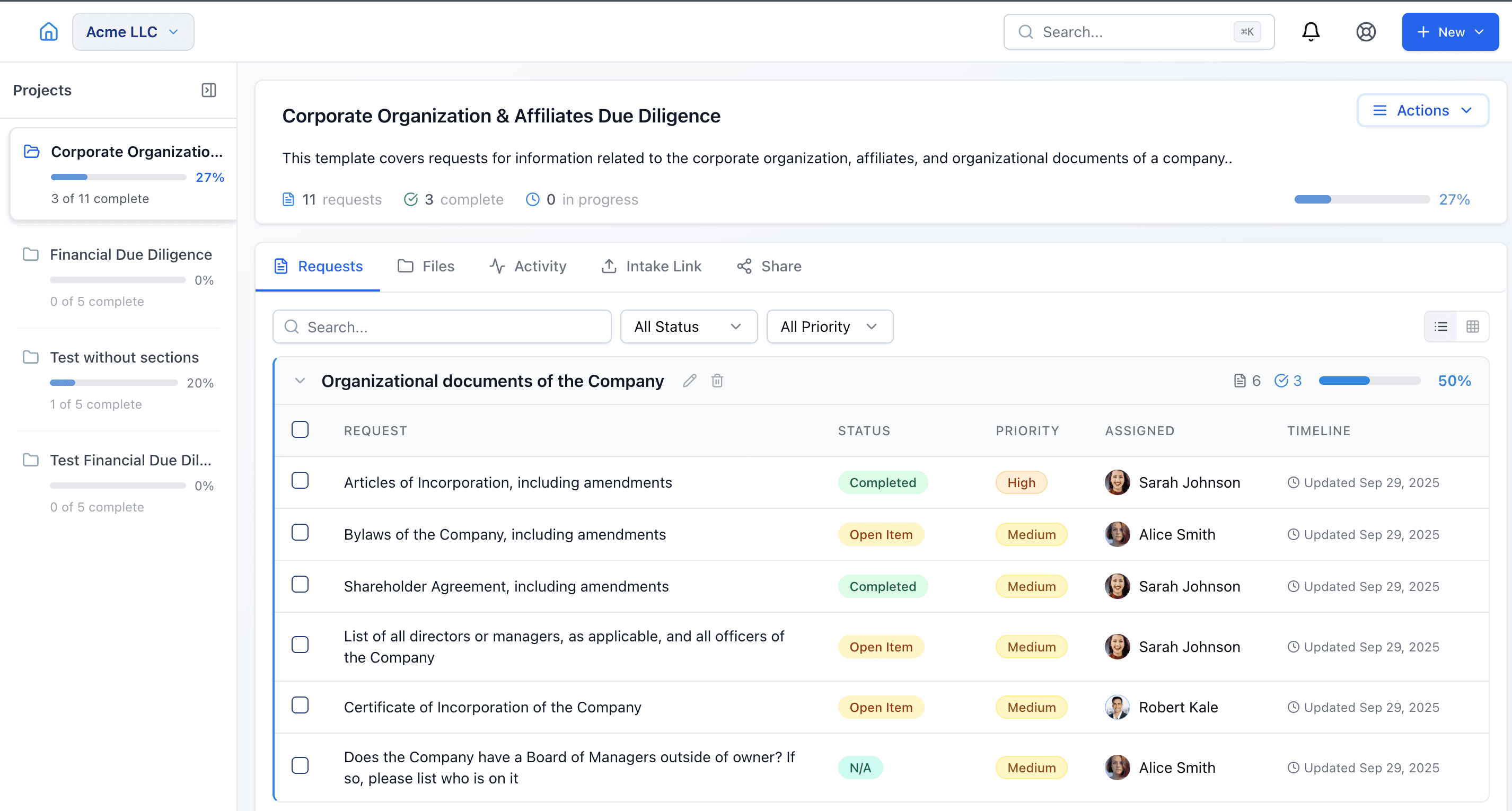
Your Request List Is Your Data Room
Every document tied to its specific request. Assignments, due dates, and live progress — visible to everyone on the deal. Both sides working together in one place.
It doesn’t just collect the documents. It does the work on them.
Combine P&Ls across years, pull bank statement totals, compare lease terms, rank candidate resumes, reconcile working capital schedules. Ask in plain English — Deal AI works across every file in the deal at once, with confidence pills and source citations on every output.
- Works across every file in the deal, not one at a time
- Source citations + confidence ratings on every answer
- Makes charts, Excel workbooks and PDF reports
- Suggests changes like new requests and assignments, you click Apply
2025 revenue across the three sources:
Financials straight from QuickBooks
Ask for the P&L, balance sheet, general ledger and aging reports with the period and basis spelled out. The seller connects QuickBooks Online once and sends each report to its request with one click.
Built-In Collaboration
Chat, Q&A, search, and file management — all inside the deal workspace. No switching between tools.
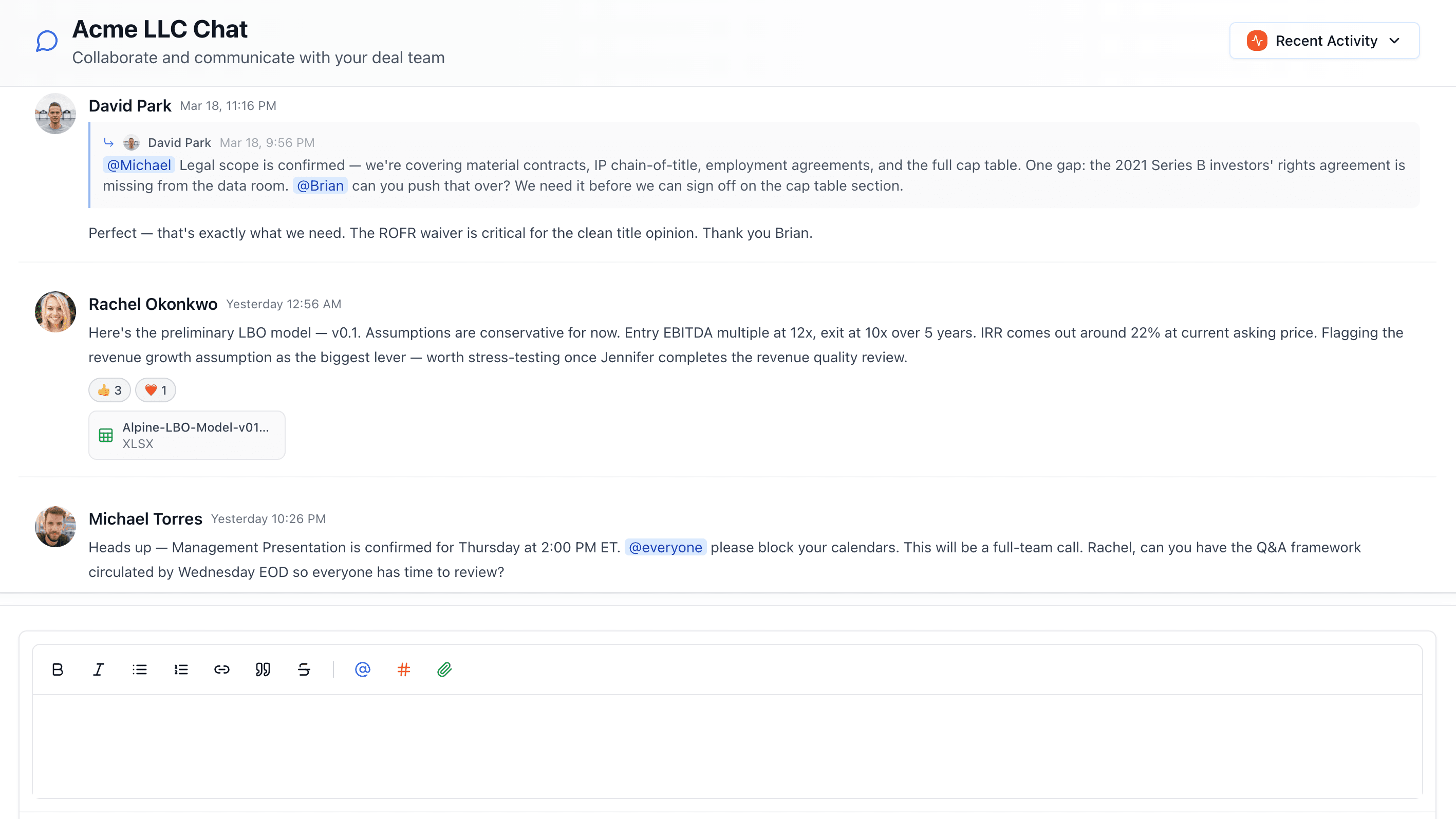
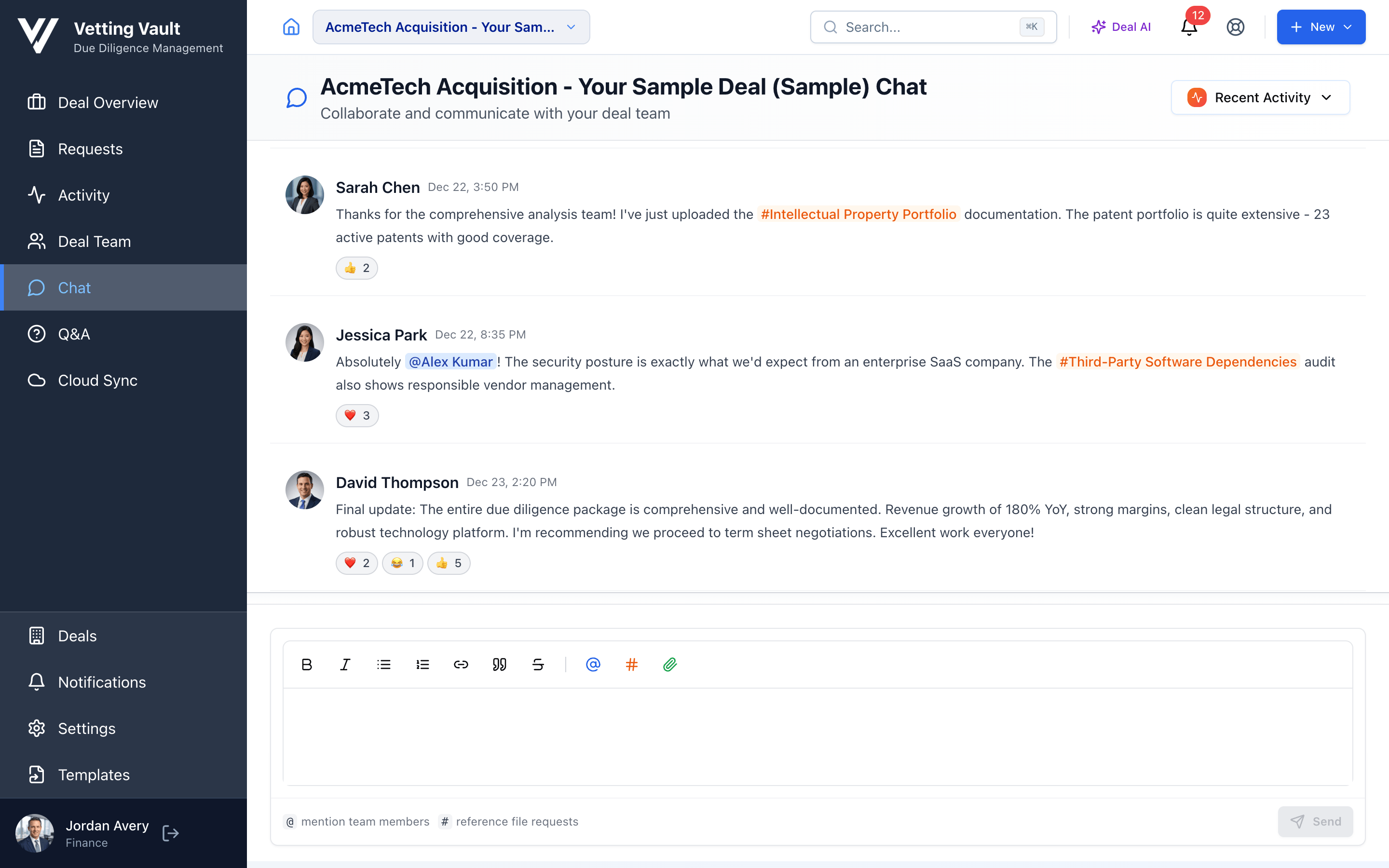
Deal Chat
@mention team members, reply in threads, and reference specific requests with #links. Every conversation stays with the deal.
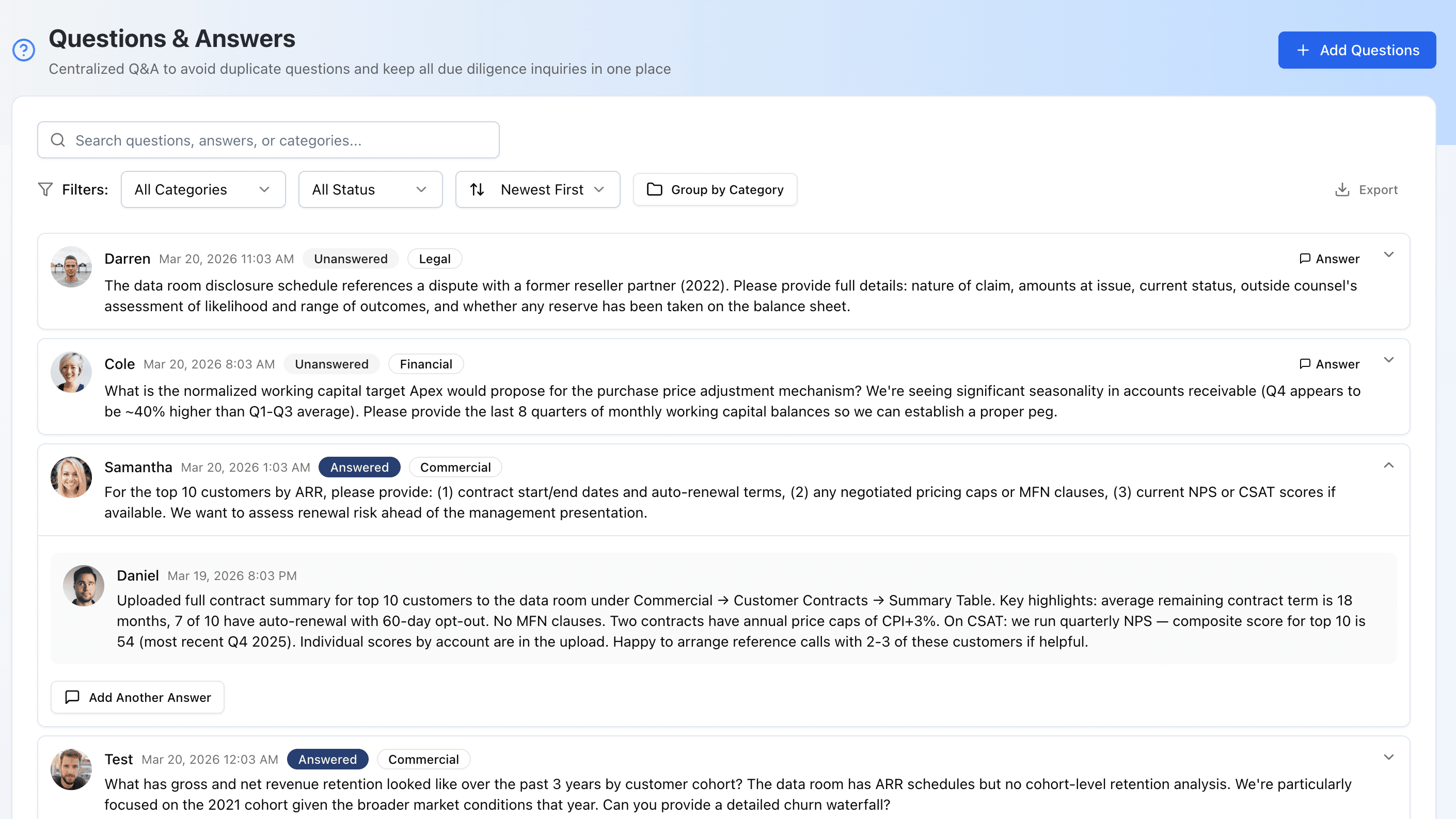
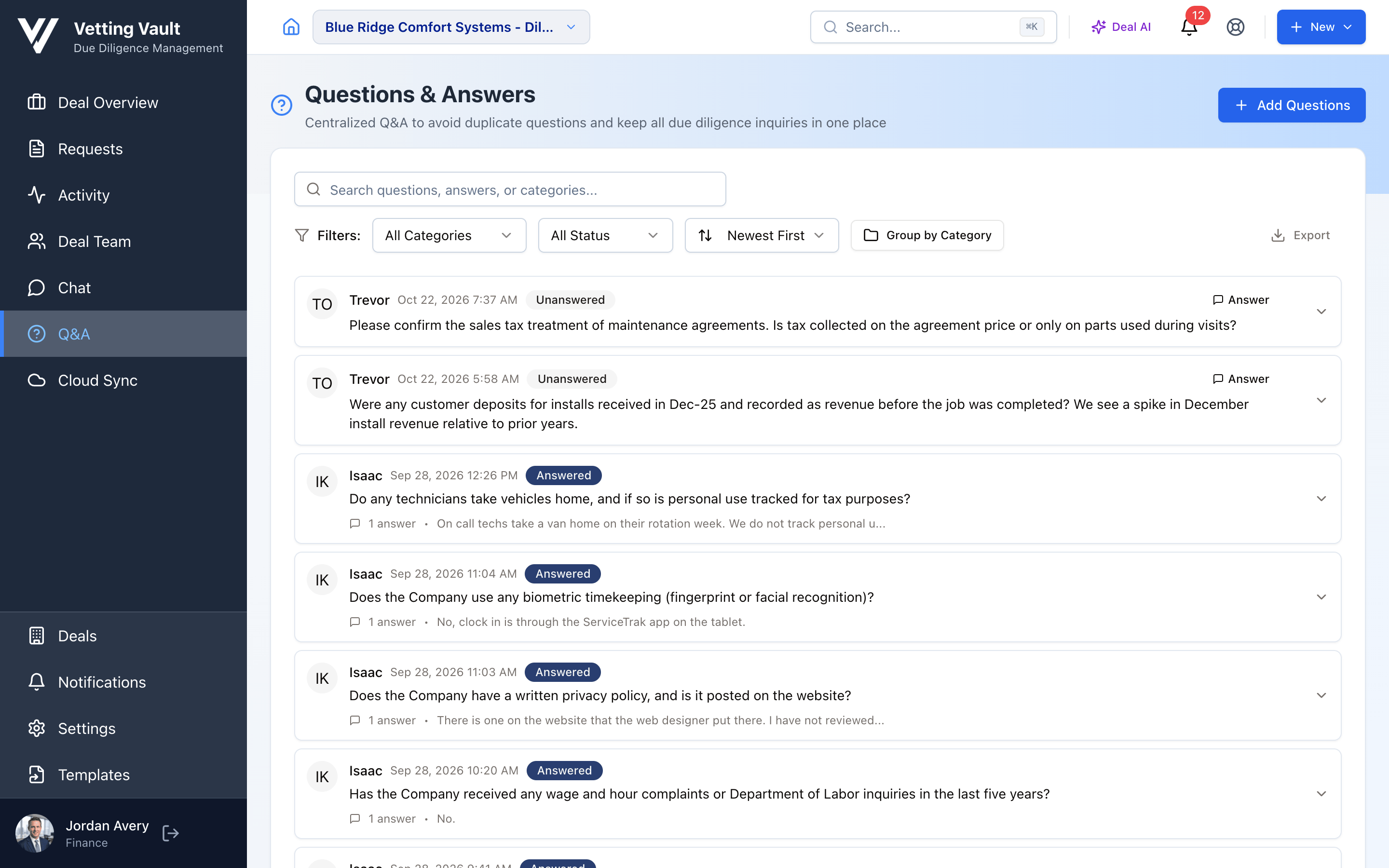
Q&A System
Centralized questions with categories, @mentions and answers everyone on the deal can see, plus written responses on any request that become a PDF automatically. No more email chains.
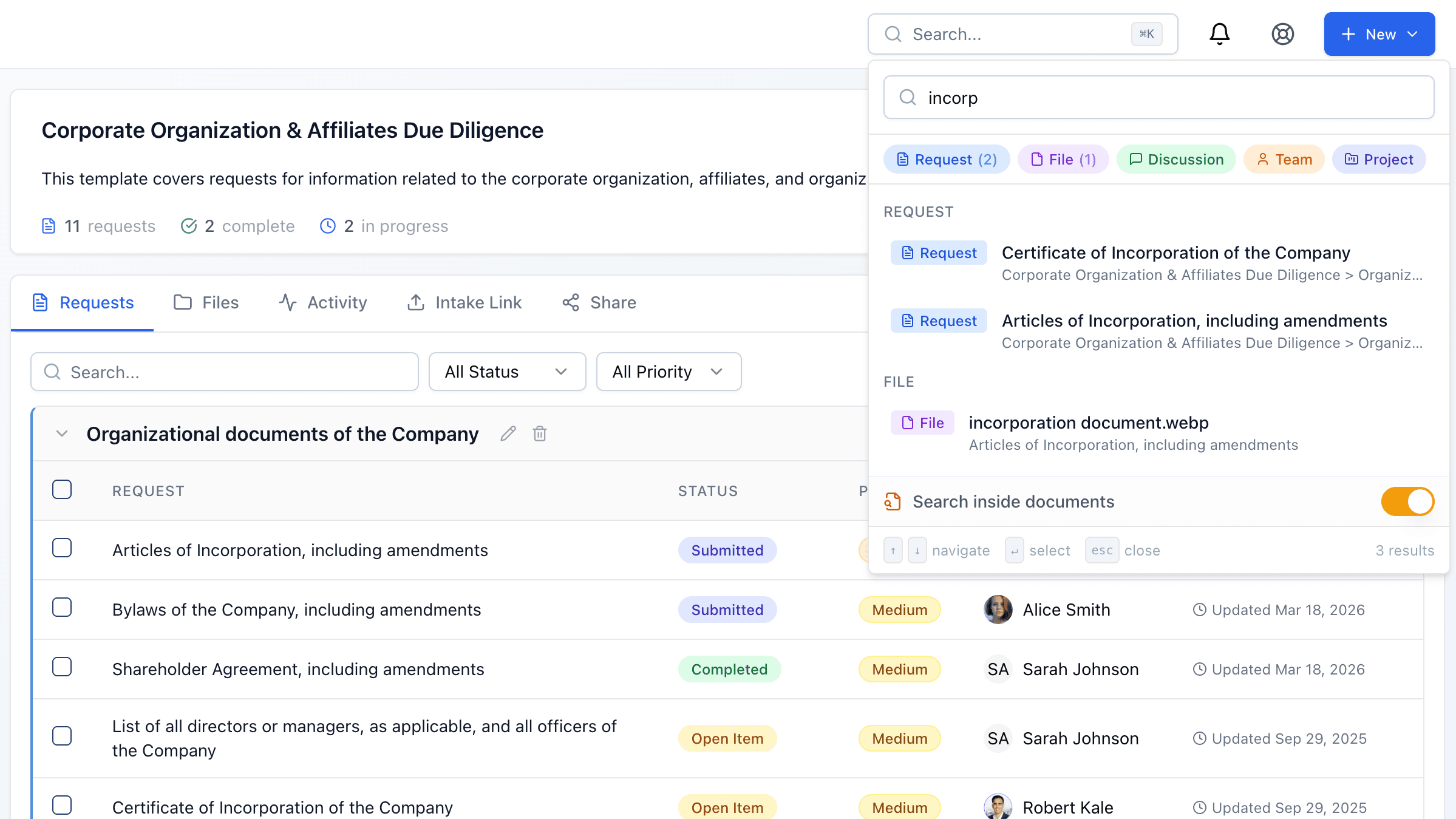
Global Search
Press Cmd+K to find anything — requests, files, file contents, chat messages, and Q&A. Search inside PDFs and Word docs.
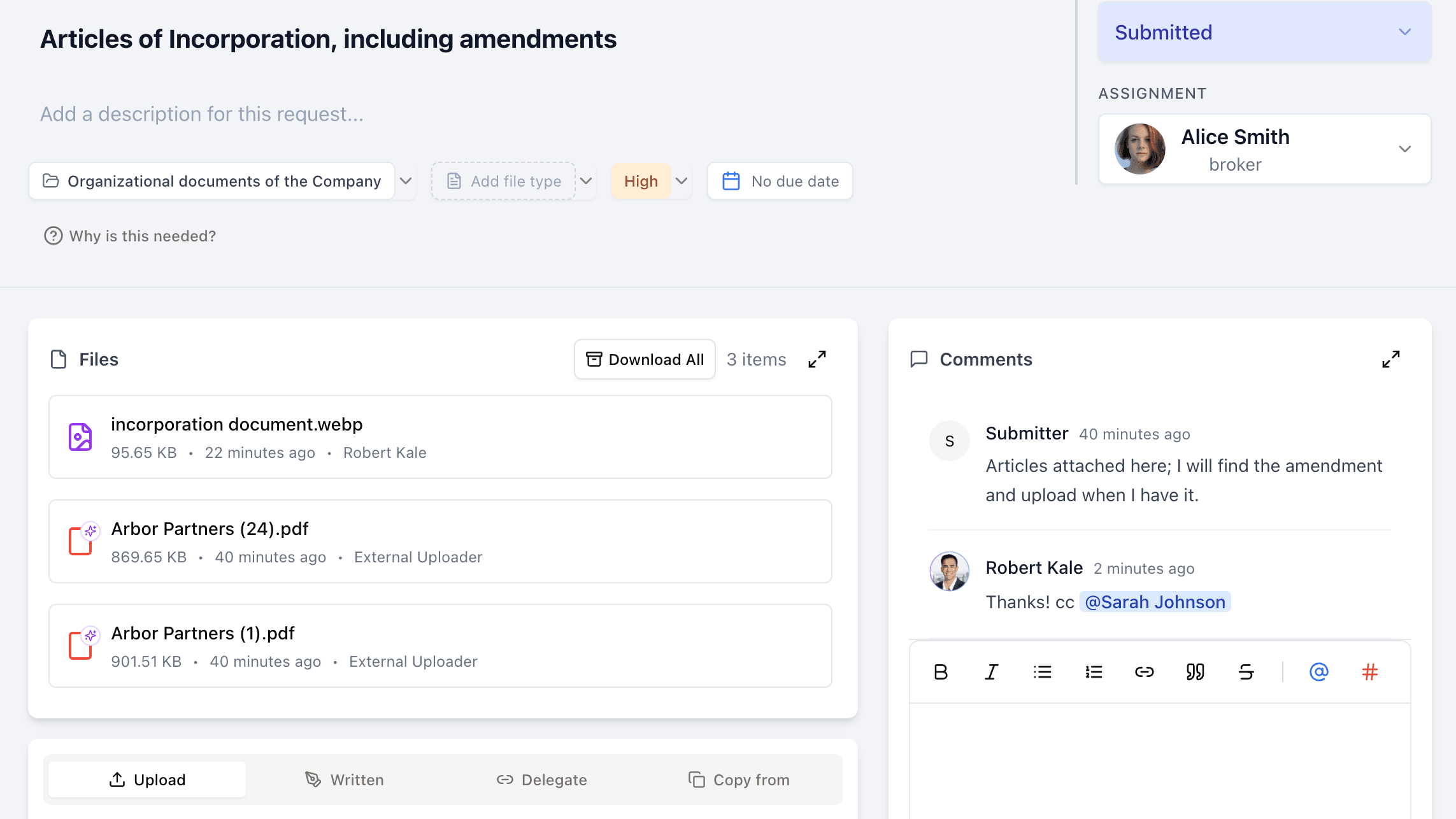
File Management
Drag-and-drop uploads, inline preview for PDFs and Office files, automatic versioning, and optional PII redaction for PDFs, with a summary for the uploader of exactly what was removed.
Get Documents In. Share Documents Out.
Three ways to work with people outside your deal — no accounts required.
Intake Forms
Per-project • Persistent collection
A full upload portal organized by section. Recipients upload multiple documents, download PDF templates, and add comments. They can return anytime to continue uploading.
- Organized sections & categories
- PDF templates built in
- Comments & progress tracking
- Recipients can return over time
- No account needed
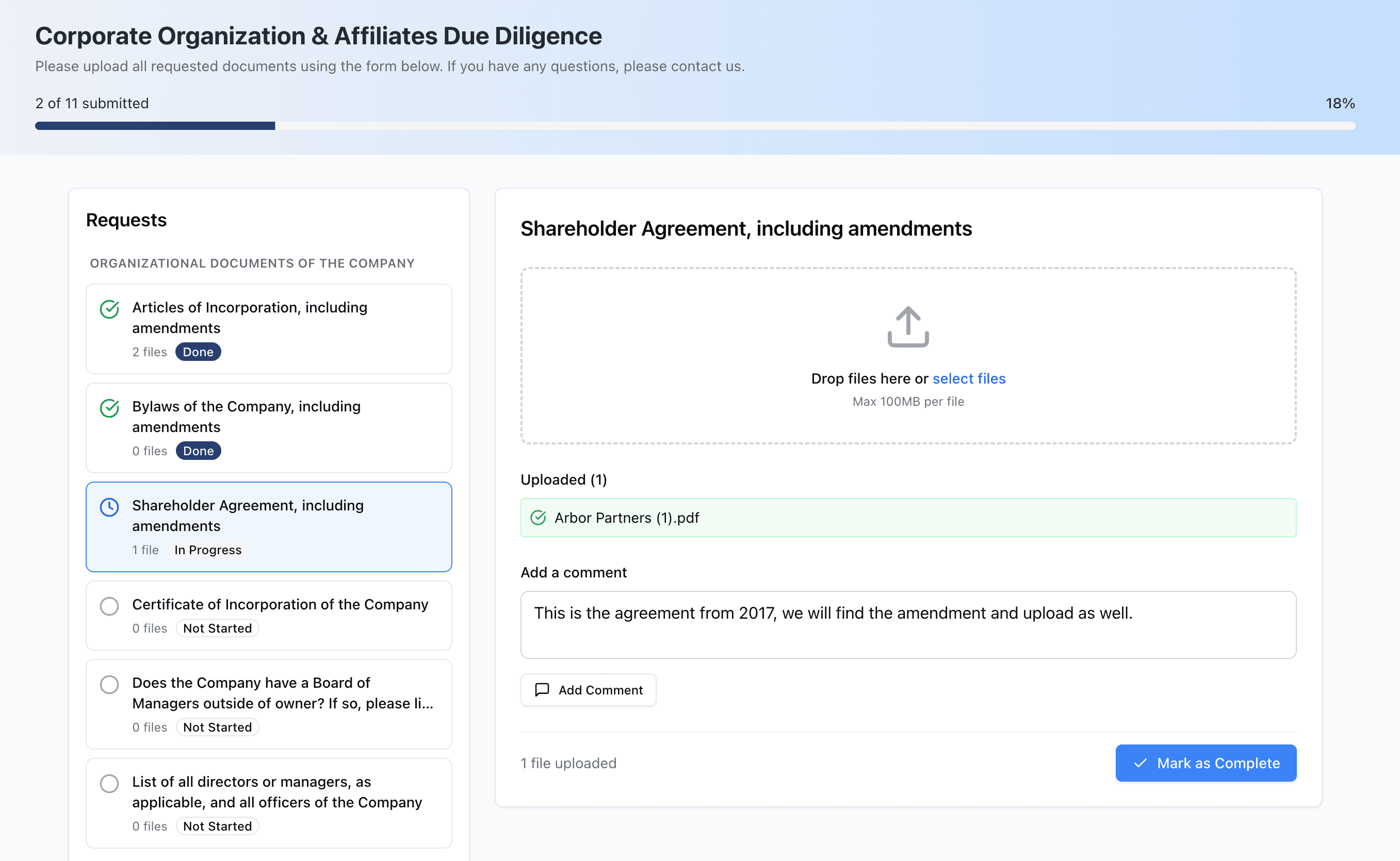
Intake Forms for structured collection → Share Links for controlled distribution → Upload Links for quick one-off files
Advanced Capabilities
Enterprise features included with your subscription — no add-on fees.
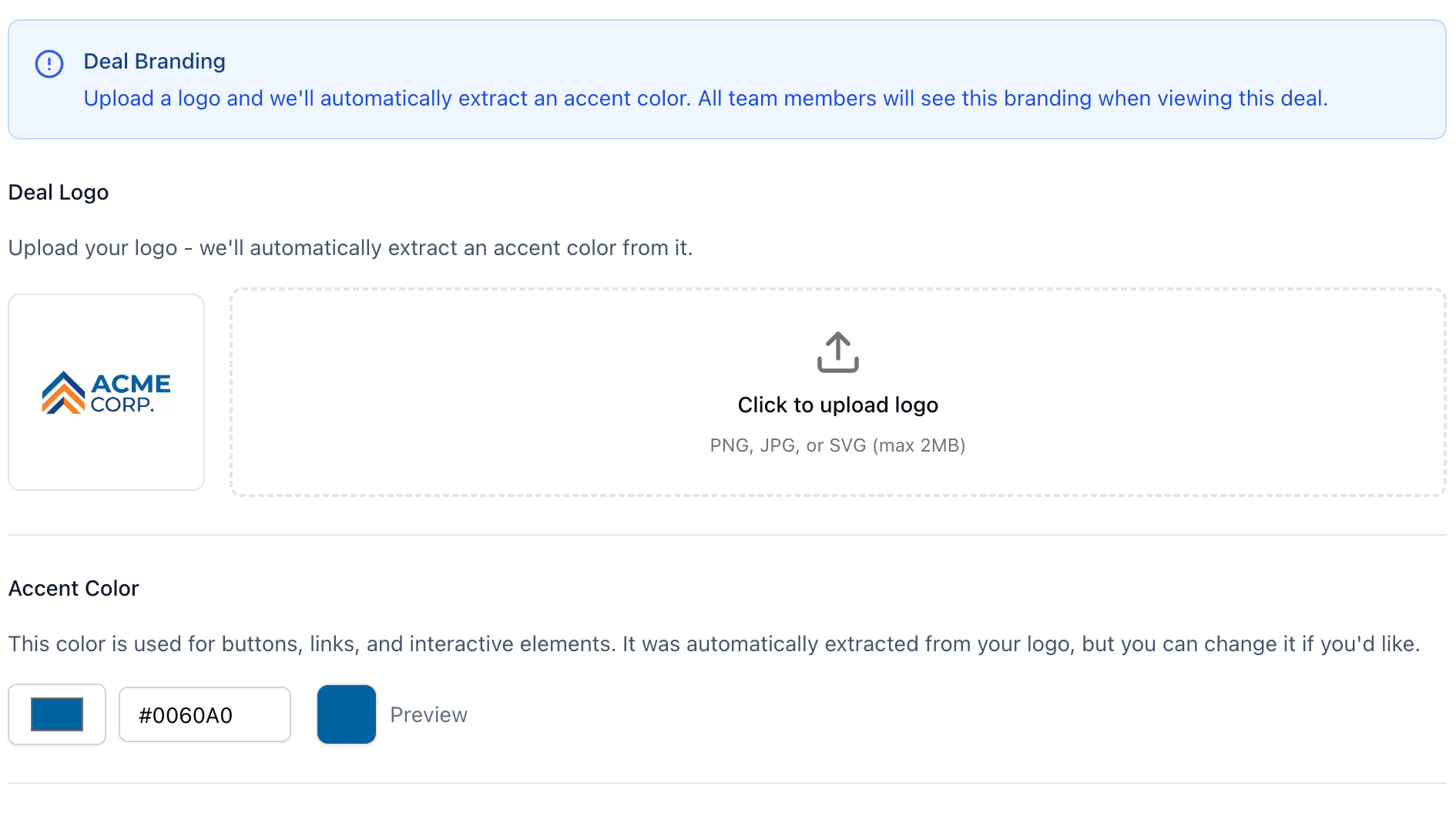
Custom Branding
White-label the workspace with your logo, brand colors, and sidebar theme. Clients see your brand, not ours.
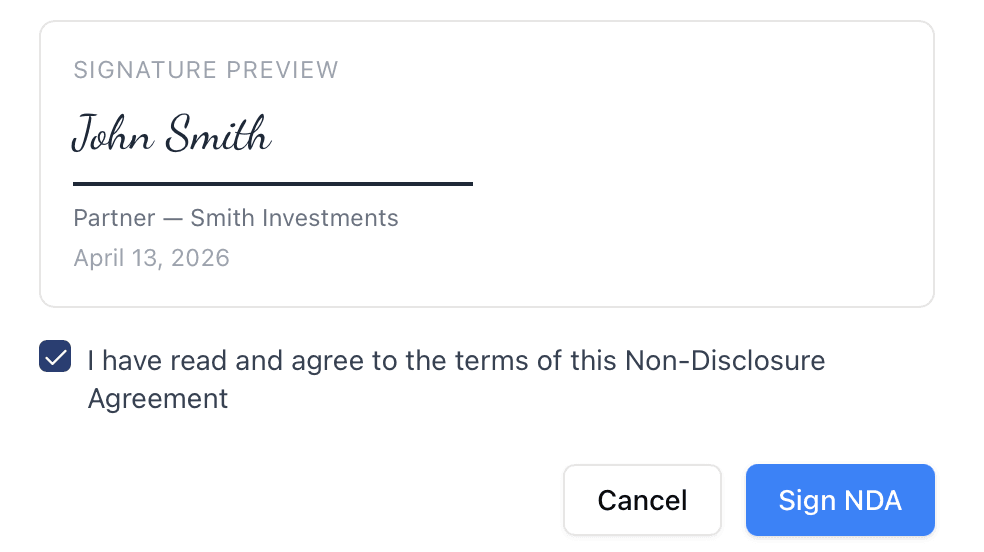
NDA Agreements
Require team members to sign an NDA before accessing deal contents. Templates, e-signatures, and full audit trail.
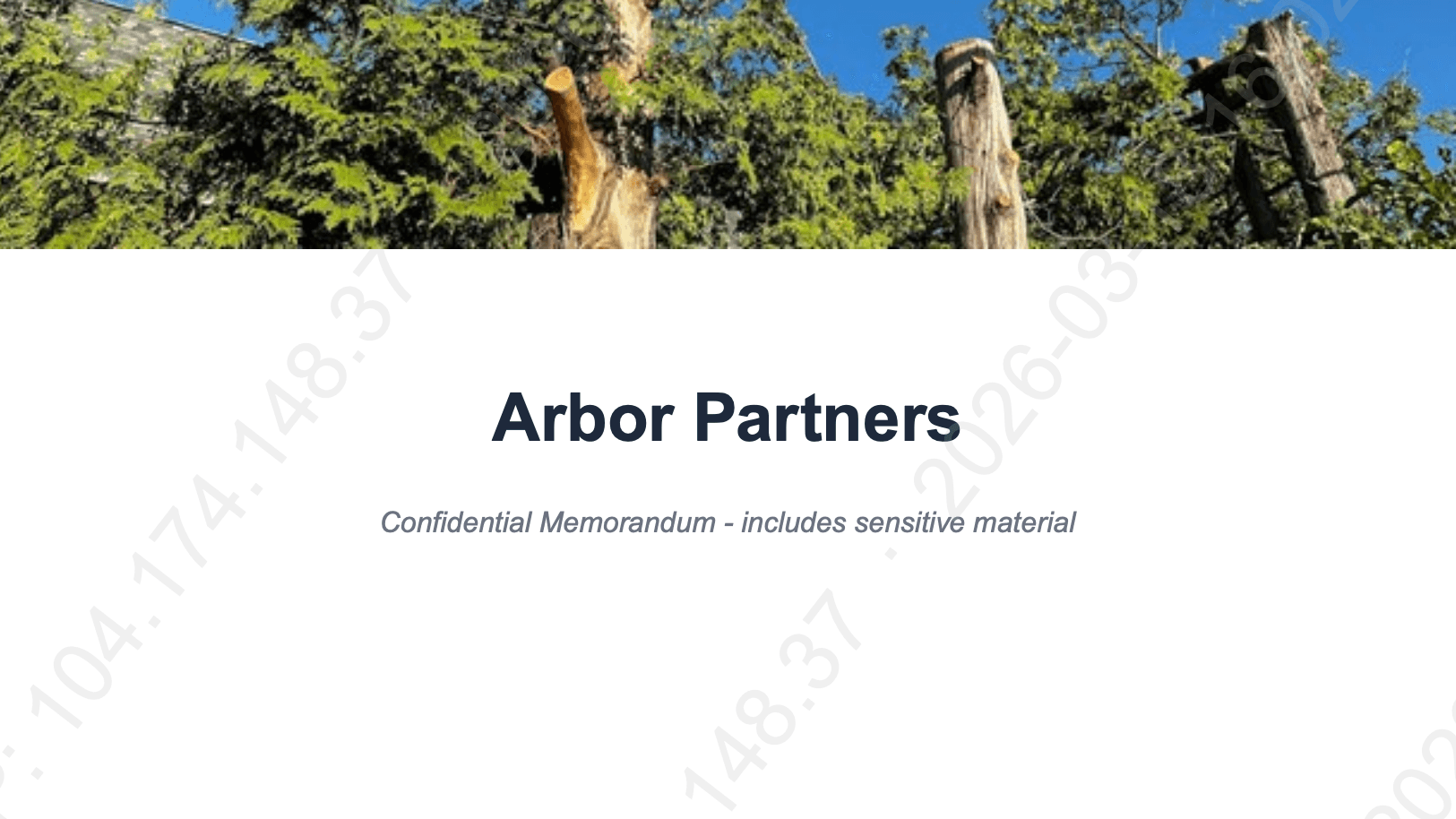
Watermarking
Files downloaded through share links — PDF, Word, and Excel — are stamped with the recipient’s email, IP, and timestamp. If it leaks, you know who.
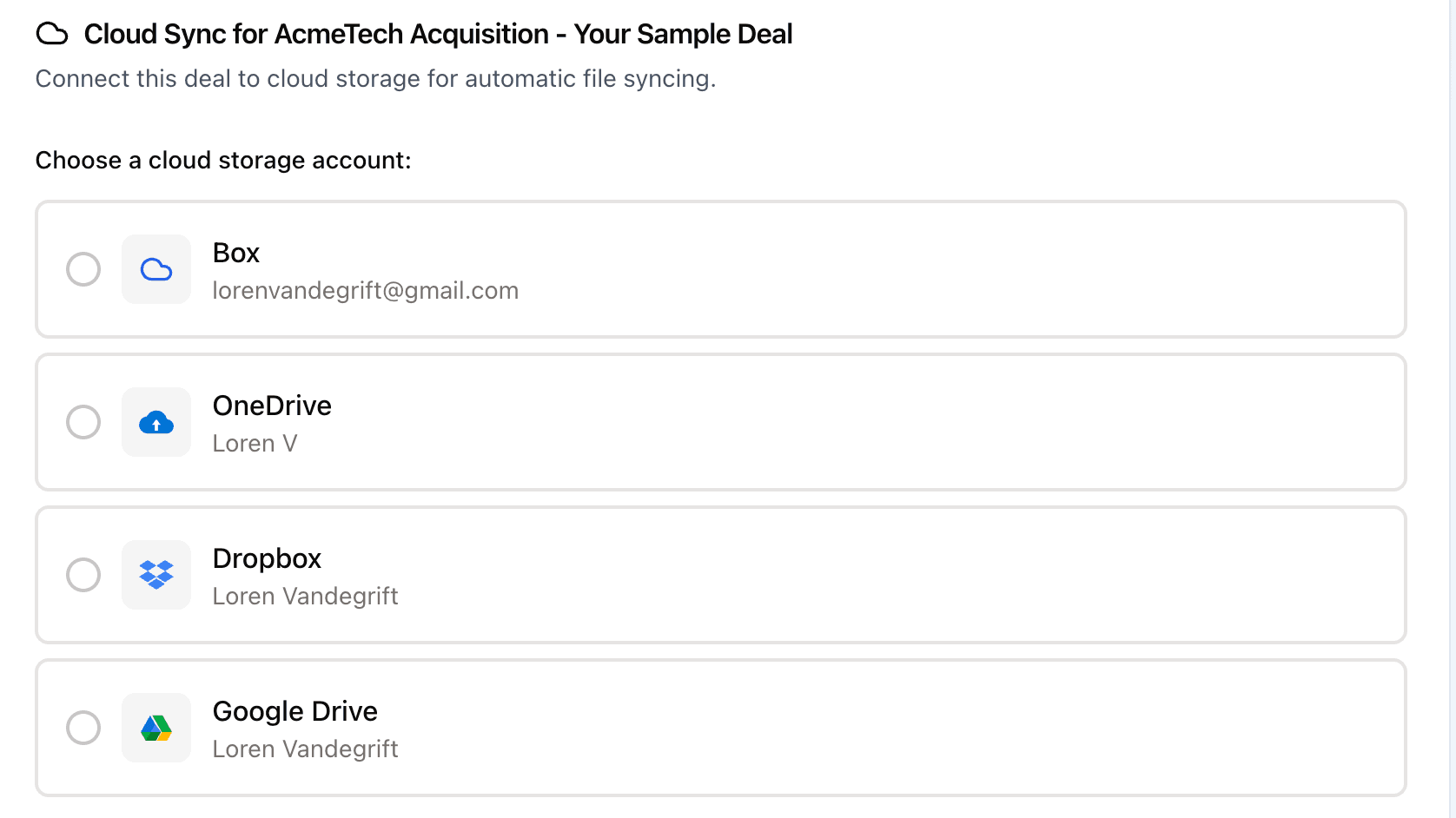
Cloud Storage Sync
Auto-sync uploaded files to Dropbox, Box, Google Drive, or OneDrive. Your existing storage stays up to date.
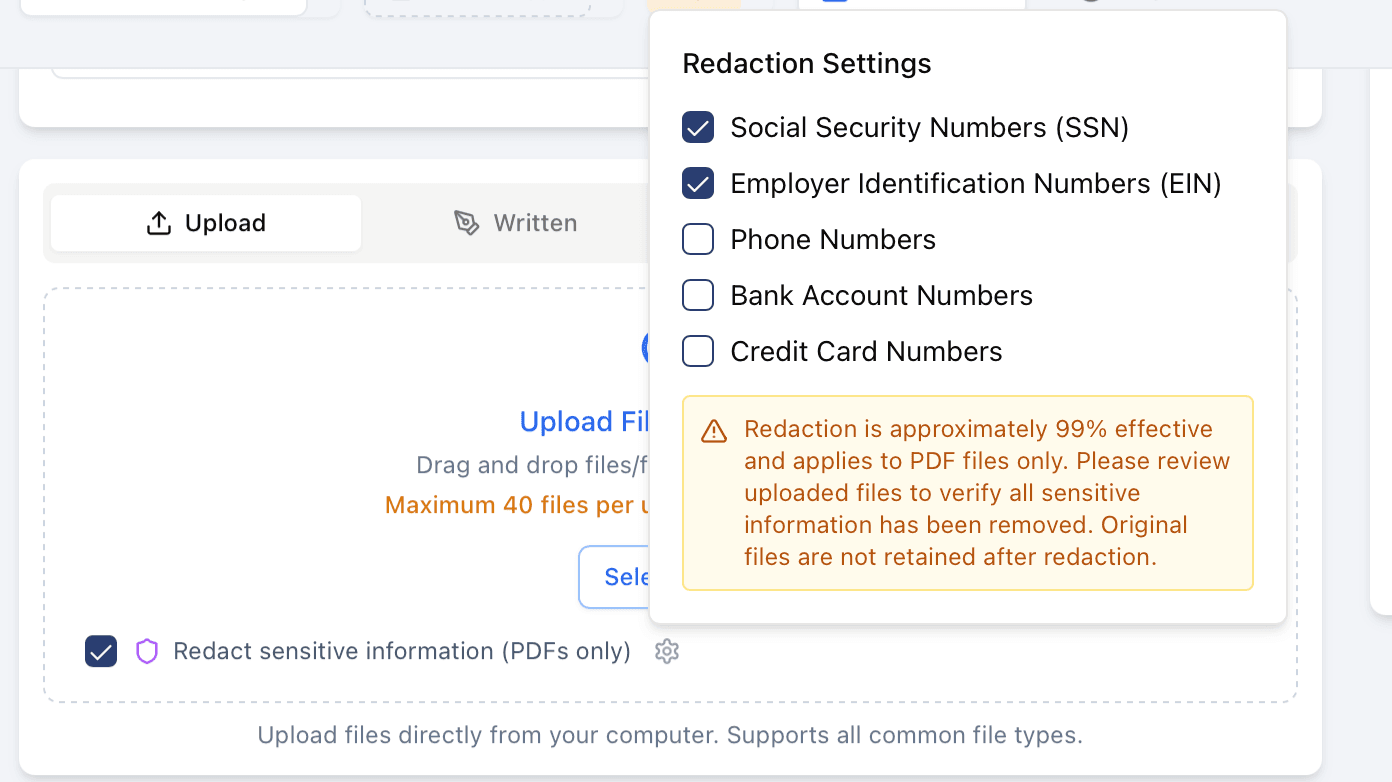
PII Redaction
Optionally detect and remove SSNs, credit card numbers, and other sensitive data from PDFs as they are uploaded.
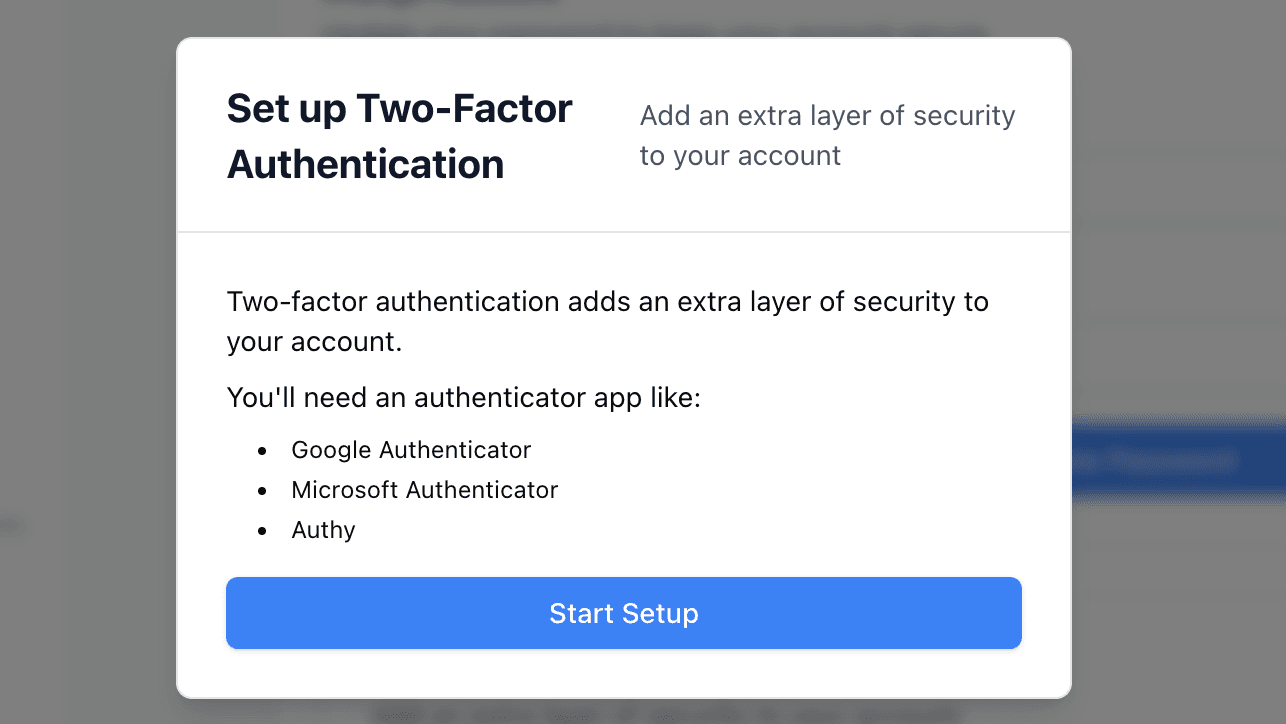
Security & 2FA
Two-factor authentication, automatic sign-out after inactivity, and a full activity log for every deal.
Workflow & Automation
Less busy work, more deal closing.
See It In Action
Free to explore with a sample deal. Only pay when you create your own.
Deal owners and admins subscribe. Everyone else on the deal collaborates free.
See it in the product
Real screens from a live diligence deal: the request list, a request with its files, and search that reads inside every document.