Financials straight from QuickBooks.
Ask for the profit and loss, balance sheet and general ledger by name, with the period and basis spelled out. The seller connects QuickBooks once and sends each report to its request with one click. No exports, no wrong periods, no PDFs to retype.
Works with QuickBooks Online. Anyone who’d rather upload still can.
See it in 90 seconds
Ask for the reports, your client connects QuickBooks once, and one click sends every report to its request.
“Can you re-run it through August?”
Financials are the first thing every buyer and lender asks for, and the request most likely to come back wrong.
A PDF of last year
You asked for financials and got a one-page PDF someone has to retype before it's useful.
The wrong period
Through June when you needed August, annual when you needed monthly, and another round of emails to fix it.
Cash or accrual?
Nobody said, so nobody knows, until the numbers don't tie to the tax return.
Asked precisely. Sent in one click.
The request says exactly which report, which period and which basis. The answer comes straight from the books.
Ask for the reports
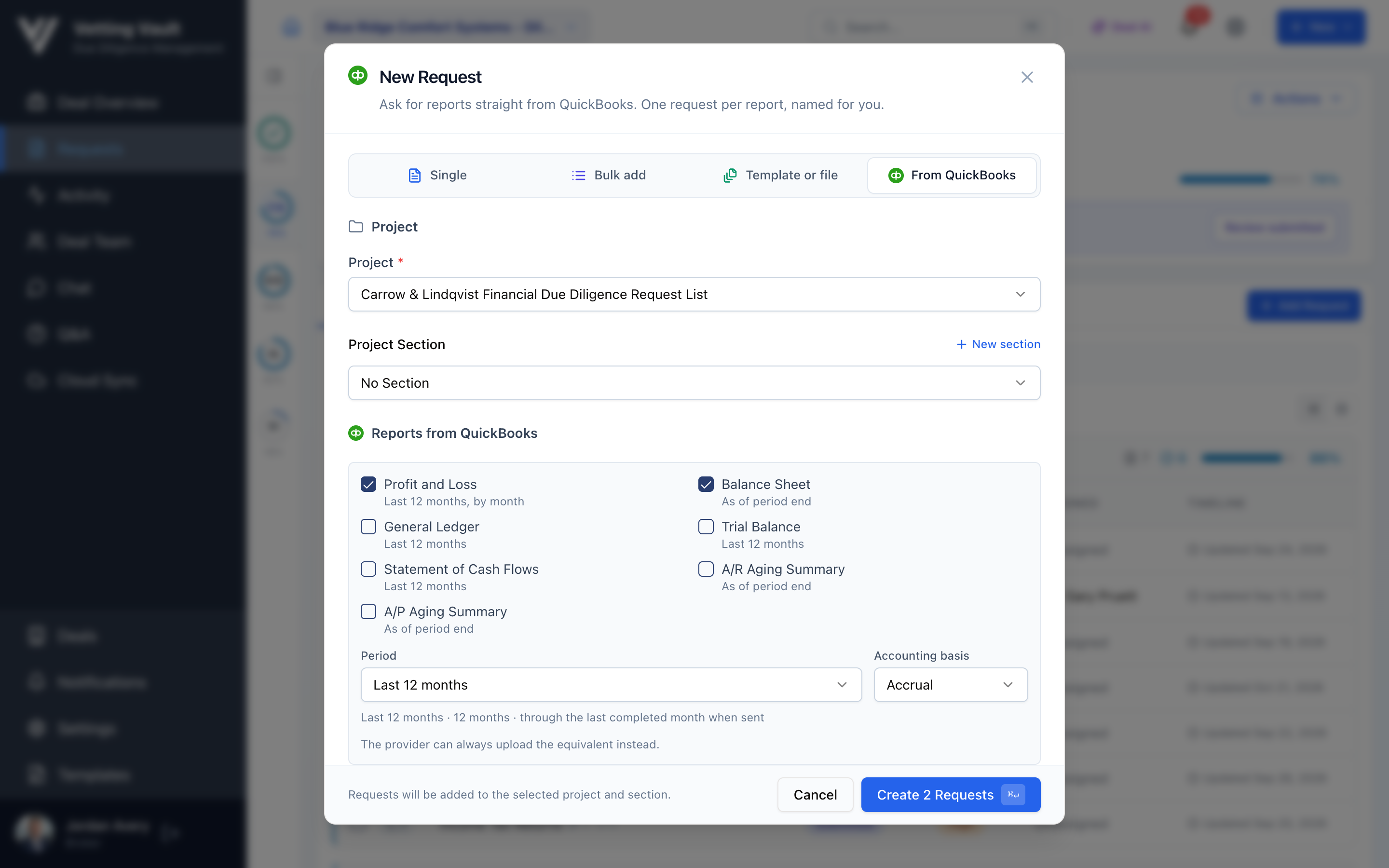
In New Request, open From QuickBooks. Tick the reports, choose the period and the basis, and Vetting Vault creates one clearly named request per report.
They connect QuickBooks once
Whoever answers chooses From QuickBooks and signs in to QuickBooks Online. One connection covers every request on the deal.
One click sends it
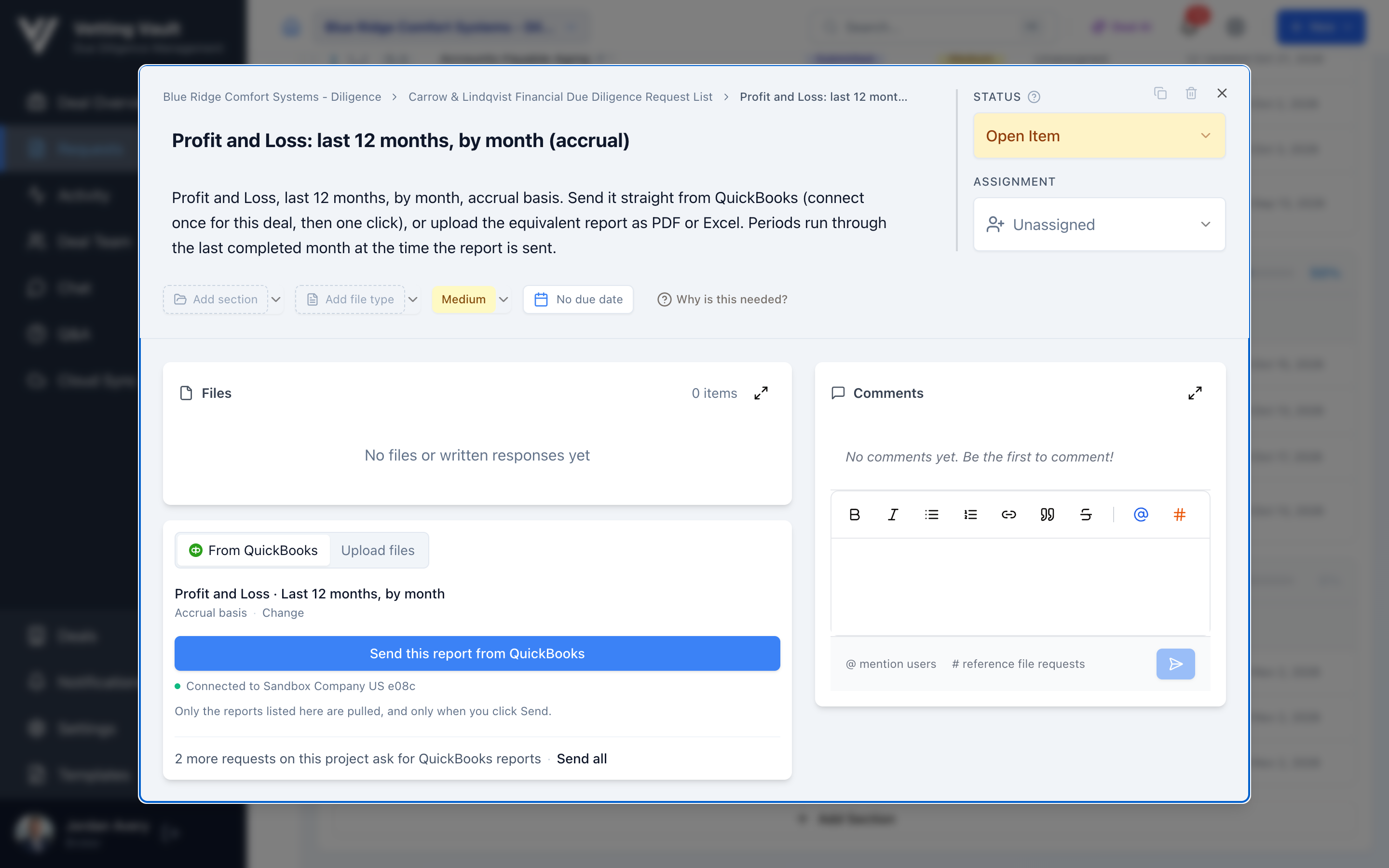
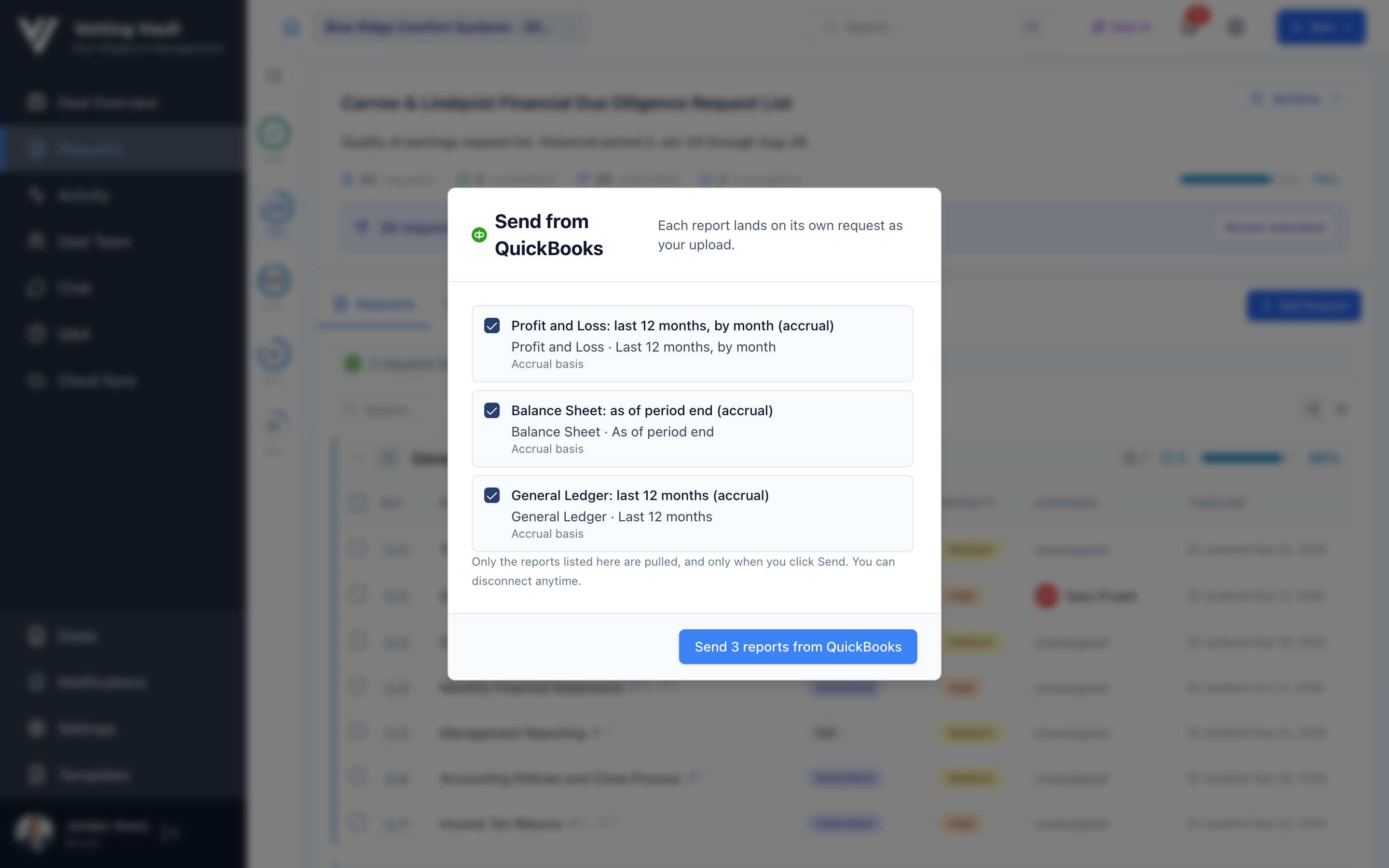
Each report arrives on its request as an Excel file, and the request moves to submitted. Send all does the whole project at once.
See it in the product
Real screens: asking for three reports, a request ready to send, and the whole batch on one sheet.
The reports diligence runs on
Tick as many as the deal needs. Each one becomes its own request, so you can see which reports are in and which are still open, and assign or chase them like anything else on the list.
Any period
- →Last 12, 24 or 36 months
- →Year to date
- →Last 1, 2 or 3 full years
- →An exact date range
Accrual or cash
Stated on the request, so the reports match what your analysis, and the tax returns, expect.
Easy for the seller to say yes to
Business owners are careful with their books. The rules are simple and shown right on the request.
Sign-in stays with QuickBooks
They sign in on QuickBooks' own page. Vetting Vault never sees or stores the password.
Only the reports asked for
Each send pulls the reports listed on the request, with its period and basis. Nothing else.
Only when they click Send
Nothing is pulled in the background. The person who connected QuickBooks is the only one who can send from it.
Disconnect anytime
They, or the deal's owners and admins, can disconnect QuickBooks from the deal at any time.
Not on QuickBooks Online? Every QuickBooks request still takes ordinary uploads, so the seller can send the same report as PDF or Excel.
Questions
Which QuickBooks does this work with?
QuickBooks Online. The person answering signs in to their QuickBooks Online company once per deal, then sends reports with a click.
Which reports can I ask for?
Profit and Loss, Balance Sheet, General Ledger, Trial Balance, Statement of Cash Flows, A/R Aging Summary and A/P Aging Summary. Pick the period (trailing months, year to date, full years or an exact date range) and the basis (accrual or cash).
Does the seller need an account?
They need to be on the deal, which is free: invite them as a contributor and they never pay. Only the person who creates the deal pays.
What if they don't use QuickBooks, or would rather upload?
Every QuickBooks request also takes ordinary uploads. They choose Upload files and send the equivalent report as PDF or Excel.
Can Vetting Vault pull reports whenever it likes?
No. Reports are pulled only when the person who connected QuickBooks clicks Send, and only the reports listed on the request. They can disconnect at any time.
What happens to the reports once they arrive?
They're ordinary files on the request: everyone on the deal who can see that request can open them, search inside them, and ask Deal AI about them.
Read more about financial diligence
Practical guides with calculators and worked examples.
Which QuickBooks Reports Does Due Diligence Need?
The exact QuickBooks reports, periods and settings buyers and lenders ask for, why each one matters, and the export mistakes that send a request back.
Read the guideQuality of Earnings: How Add-Backs Move the Purchase Price
Walk from reported to adjusted EBITDA, see which add-backs survive a quality of earnings review, and what each one is worth at the deal multiple.
Read the guide