
Intake Forms
Intake Forms let you collect documents from anyone — borrowers, business owners, outside counsel — without requiring them to create a Vetting Vault account. Just send a link and they can start uploading.
Overview
One of the biggest bottlenecks in any deal or lending process is collecting documents from people who are not on your platform. You send them a list of what you need, they email files back one at a time over weeks, and you spend hours sorting everything into the right place.
Intake Forms solve this by giving you a shareable upload portal that is organized, branded, and connected directly to your deal. Recipients see exactly what you need, upload their files into the right slots, and everything flows back into your request list automatically.
No account required
How Intake Forms Work
The flow is straightforward:
- You create an intake form from within your deal, selecting which requests to include.
- You customize the form with sections, instructions, and any PDF templates the recipient needs to fill out.
- You generate a unique link and send it to the recipient via email, text, or however you communicate.
- The recipient opens the link and sees a clean, organized upload portal — no login required.
- They upload their files into the appropriate request slots using drag-and-drop or file browsing.
- Files appear in your deal automatically, attached to the correct requests with real-time progress updates.
From the recipient’s perspective, it feels like filling out a simple, well-organized form. From your perspective, documents land exactly where they belong without any manual sorting.
Creating an Intake Form
Follow these steps to set up an intake form for your deal:
- Open your deal and navigate to the request list.
- Click "Create Intake Form" in the toolbar above the request list.
- Select requests to include — Choose which request items should appear on the form. You do not have to include every request; only select the ones relevant to the recipient. For example, if you are collecting from the seller, only include seller-side items.
- Organize into sections — Group the selected requests into logical sections (Financial Documents, Legal Documents, etc.). Sections help the recipient navigate the form and understand what belongs where.
- Add instructions — Write clear instructions at the top of the form or on individual items. Explain what format you need, what time period the documents should cover, or any other details that will help the recipient upload the right files the first time.
- Attach PDF templates (optional) — If any requests require the recipient to fill out a specific form, attach the PDF template so they can download, complete, and re-upload it in the same spot.
- Generate the link — Click "Generate Link" to create a unique URL for this intake form. Copy the link and send it to your recipient.
Tip
PDF Templates
Many workflows require recipients to fill out standardized forms before uploading them. PDF templates make this process seamless by putting the blank form and the upload slot in the same place.
Attaching PDF Templates
When creating or editing an intake form, you can attach a PDF template to any request item.
- Click on the request item in the intake form editor.
- Select "Attach PDF Template" and upload the blank form (for example, an SBA Form 1919 or a personal financial statement template).
- Add instructions explaining how to fill out the form.
When the recipient views the intake form, they see a download button for the template right next to the upload area. The workflow becomes: download the blank form, fill it out, then upload the completed version — all in one place.
Built-in Templates
Vetting Vault includes commonly used templates that you can attach with a single click:
- SBA forms — Standard SBA loan application forms including borrower information, personal financial statements, and more.
- Financial statement templates — Blank profit and loss, balance sheet, and cash flow templates for businesses that do not have formal financials.
- Authorization forms — IRS Form 4506-C and similar authorization documents commonly needed in lending.
- Custom templates — Upload your own firm’s templates and reuse them across deals.
Tip
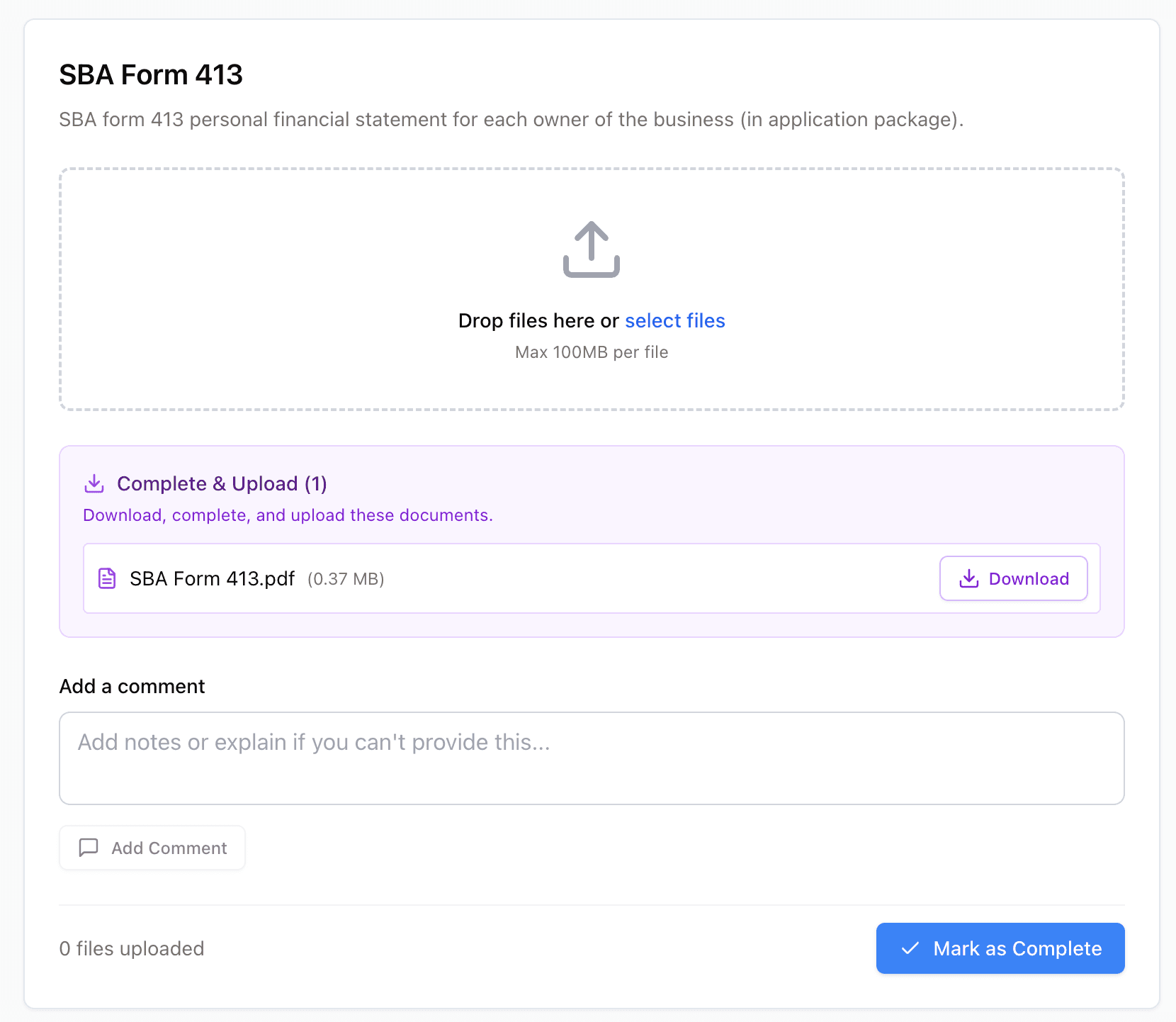
Attach PDF templates like SBA Form 413 that users download, fill out, and upload in the same spot.
The Recipient Experience
The intake form is designed to be simple and approachable, even for people who have never used Vetting Vault before. Here is what the recipient sees when they open the link:
- Clean, branded portal — The form uses your deal’s branding (if configured) and presents a professional, organized interface.
- Organized sections — Requests are grouped into the sections you defined, with clear labels and any instructions you added.
- Progress tracking — A progress bar shows how many items the recipient has completed, motivating them to finish everything in one session.
- Drag-and-drop upload — Recipients can drag files from their desktop onto each request item, or click to browse. Multiple files per item are supported.
- PDF template downloads — Where you have attached templates, the recipient sees a clear "Download Template" button alongside the upload area.
- No account required — The recipient never needs to create a username or password. They simply open the link and start uploading.
Note
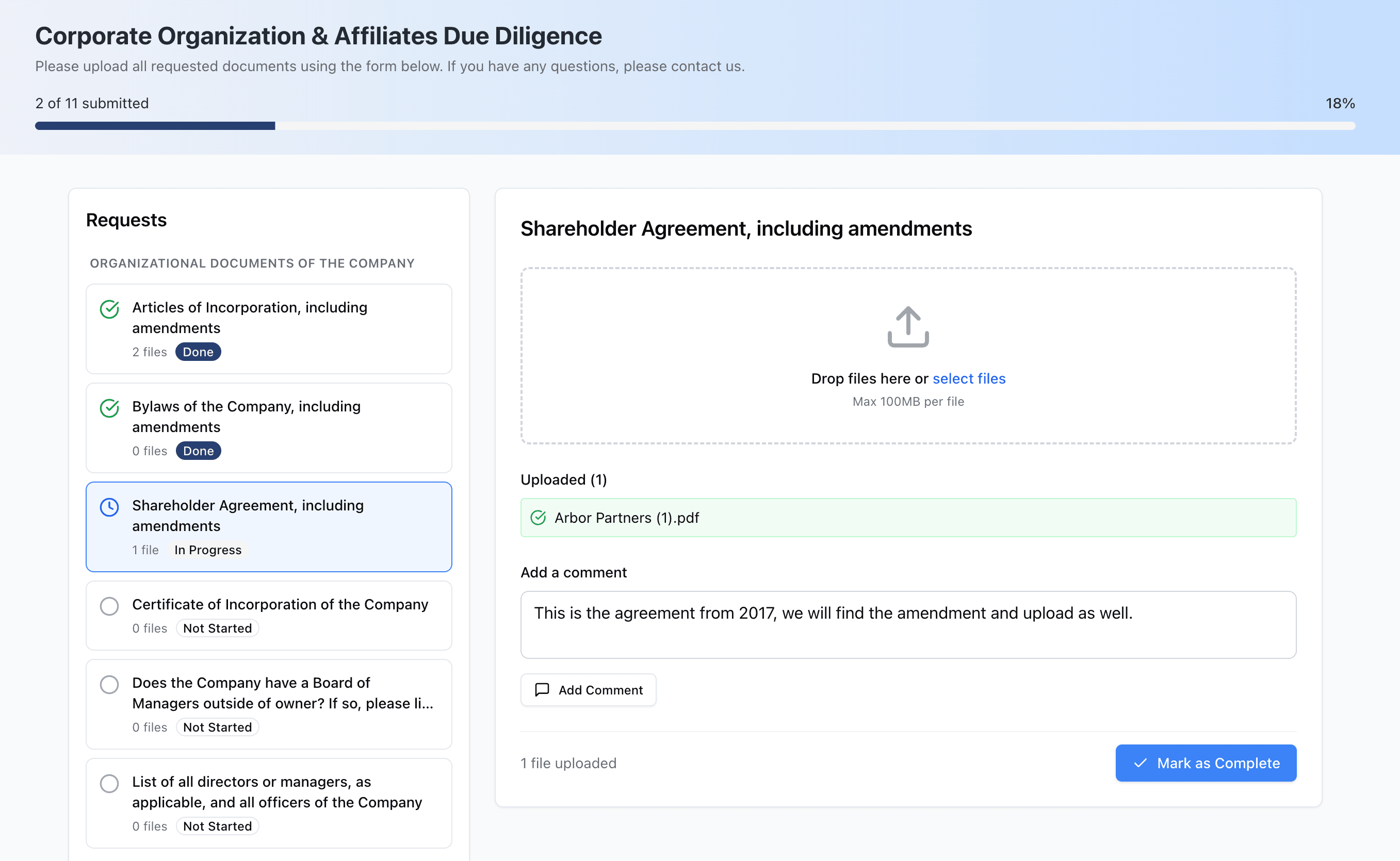
The upload portal organizes requests by section with drag-and-drop uploads — no account required.
Tracking Progress
As a deal admin, you have full visibility into the status of every intake form you have sent.
- Real-time upload notifications — Receive a notification each time a recipient uploads a file. You know instantly when new documents arrive.
- Progress dashboard — See which items have been completed and which are still outstanding. The intake form’s progress updates in real time.
- Automatic request list updates — Files uploaded through the intake form are automatically attached to the corresponding request items in your deal. Request statuses update accordingly.
- Follow-up reminders — If a recipient has not completed all items, you can send a reminder through the system or simply re-share the link with a note.
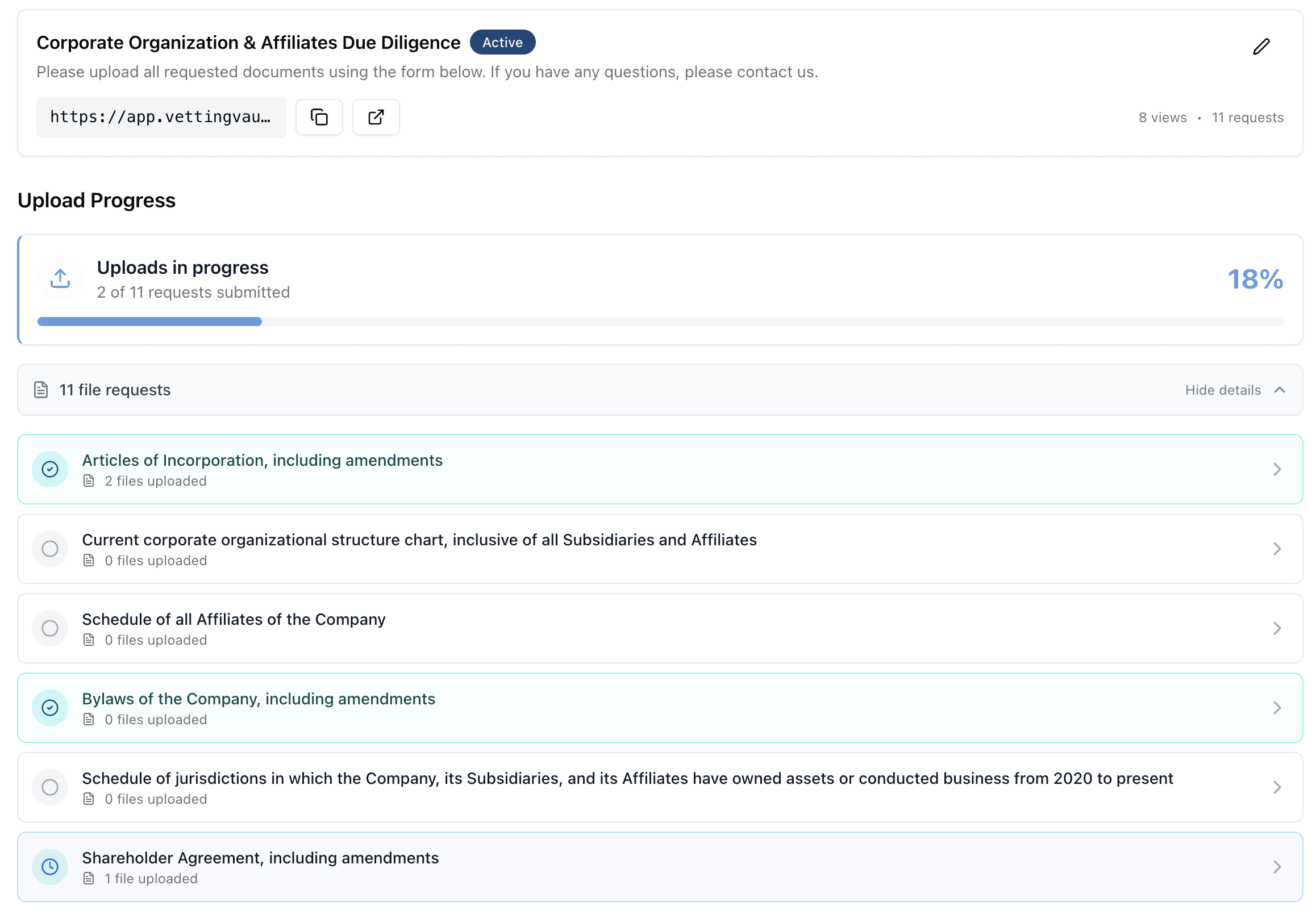
Track submission progress in real time — see exactly which documents have been uploaded and which are still outstanding.
Use Cases
Intake forms are versatile and work across a wide range of industries and workflows.
SBA Loan Officers
SBA loans require an extensive set of standardized documents from borrowers. Intake forms let you send a single link that includes every required item — from SBA Form 1919 to three years of tax returns — with PDF templates attached for each government form. Borrowers see exactly what is needed and can work through the list at their own pace. Everything flows back to your deal organized and ready for underwriting.
M&A Advisors
When advising on a sale, you often need to collect dozens of documents from the business owner: financials, contracts, employee records, intellectual property documentation, and more. Instead of emailing a spreadsheet and fielding questions about where to send each file, create an intake form with clear sections and instructions. The seller uploads everything to the right place, and your request list updates automatically.
Commercial Lenders
Commercial loan underwriting requires gathering financials, entity documents, collateral information, and personal guarantor details. Intake forms let you send a professional document collection portal to each borrower and guarantor. Different forms can be created for different parties in the same deal (for example, one for the borrowing entity and another for each personal guarantor).
Accountants & CPAs
Whether you are performing due diligence for a client’s acquisition or gathering documents for a quality of earnings report, intake forms streamline the collection process. Send a link to the target company’s controller or bookkeeper with specific requests for trial balances, bank statements, and supporting schedules. Track what has been submitted and follow up on what is missing — all from within your deal workspace.
Tip